Omnichannel Inbox for all Conversations and Conversions

See every customer conversation in one place, reply from a single inbox, and route chats between chatbots and agents while keeping your CRM and analytics in sync.

Smart lead assignment and clear dispositions

Tags and attributes always in sync

Agent performance visible in real time

Powering WhatsApp automations for 1500+ brands across 29 countries

All Your Chats in One Inbox

QuickReply.ai brings WhatsApp, web messenger and Instagram conversations into one clean inbox. Your team opens a single screen and sees every new message, ongoing chat and past conversation, without switching tools or tabs.

Welcome, Answer and Qualify with Chatbots

QuickReply.ai lets you put chatbots on WhatsApp, your website messenger and Instagram. The bot can welcome visitors, answer common questions and collect details, so your team only steps in when it really matters.

Show menus like “Track my order”, “Talk to sales”, “View offers”

Let users tap buttons instead of typing long messages

Ask a few essential questions to qualify a lead (name, phone, need, budget, timeline etc.)

Use the same basic flow on all channels, with small changes where needed

This keeps early conversations structured and fast, and prepares all the context for an agent.

Let AI answer free-form questions using your own knowledge base and past chats

Suggest replies to agents inside the inbox so they can respond faster

Help with long or detailed answers where buttons are not enough

Always allow an agent to step in, continue the chat and correct or add details

You can also set clear rules for when AI should hand over immediately, for example when the user asks about pricing, discounts or wants to “talk to a human”.

The same chat thread shows both bot and human messages

Agents see everything the bot has already asked and collected

When an agent takes over, the bot pauses for that conversation

After the chat is closed, the data goes to tags, attributes and CRM as usual

Organise Your Chats by People, Teams and Outcomes

Instead of chats “floating around,” QuickReply.ai gives each conversation a clear owner and outcome. New messages go to the right person, handover from bot to human is smooth and your team can quickly mark what came out of the chat.

Route chats based on channel, topic or form answers

Send sales questions to sales, support issues to support, and so on

Balance work across agents so one person is not overloaded

Respect working hours, so chats go only to agents who are actually available

The bot asks the first few questions and collects key details

When the user wants a human, the chat moves to an agent in the same thread

The agent sees everything the bot has already asked and the answers given

No restart, no “please repeat” – the conversation simply continues

At the end of a chat, the agent marks what happened in one click

Use simple outcomes like Qualified lead, Not interested, Follow-up later

Dispositions help you see which chats turned into real opportunities

These outcomes can also update your CRM and trigger follow-up messages later

Tags and Customer Details That Travel With Every Chat

When a chat comes in, your team needs more than just the last message. QuickReply.ai keeps customer details and tags next to every conversation and can sync them to the tools where you track your leads or customers, so agents always know who they’re talking to and what has happened before.

Each chat shows basic details like name, phone and channel

You can also see past conversations and recent activity

Simple fields like location, order count or interest area can show up here

Agents don’t have to jump between tools to understand the person

Create your own tags like Hot lead, COD risk, IELTS – Canada, Repeat buyer

Apply tags during or after a chat in one click

Use tags later for campaigns, follow-ups or simple filtering inside the inbox

Keep tags clean and shared, so everyone on the team speaks the same language

Push key tags and fields to tools like your CRM or other lead / customer systems

Make sure sales, support or counselling teams all see the same information

Cut down on manual updates and double entry for your team

Keep reporting and pipelines more accurate because chat outcomes are synced

See How Your Team Is Doing, Not Just Your Chats

QuickReply.ai doesn’t just show you messages. It also shows how your team is handling them, who is replying fast, who is closing more chats and where things are getting stuck, so you can coach better and plan staffing with real data.

See how many new chats came in across all channels

Track how many were answered, how many are still waiting

Check how long, on average, it takes for your team to send the first reply

Spot busy days and hours so you know when you need more people online

View chats handled per agent across WhatsApp, web and Instagram

See who is closing more conversations and who has more pending

Compare reply times, so you can support agents who are falling behind

Use this data for coaching, rewards or planning shifts in a simple way

Break down chats by simple outcomes like Solved, Follow-up later, Sales lead

Notice which topics or types of chats take the longest to close

Understand which channels bring more serious leads versus basic questions

Use these patterns to improve bot flows, FAQs or handover rules over time

From Messy Inbox to Clear Priorities

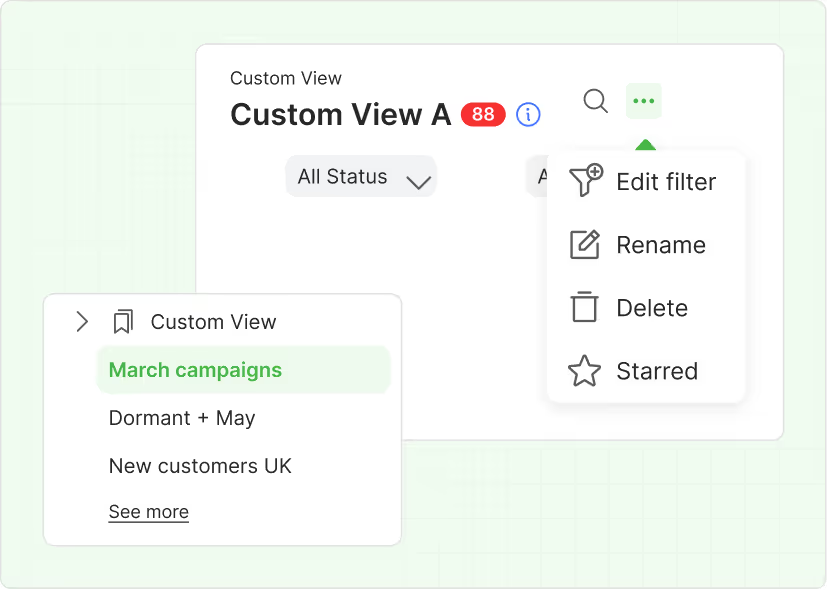
When chats pile up, your team should not scroll endlessly. QuickReply.ai lets you filter conversations by person, channel, status or lead quality, and save those views, so everyone can focus on the chats that matter most to them.

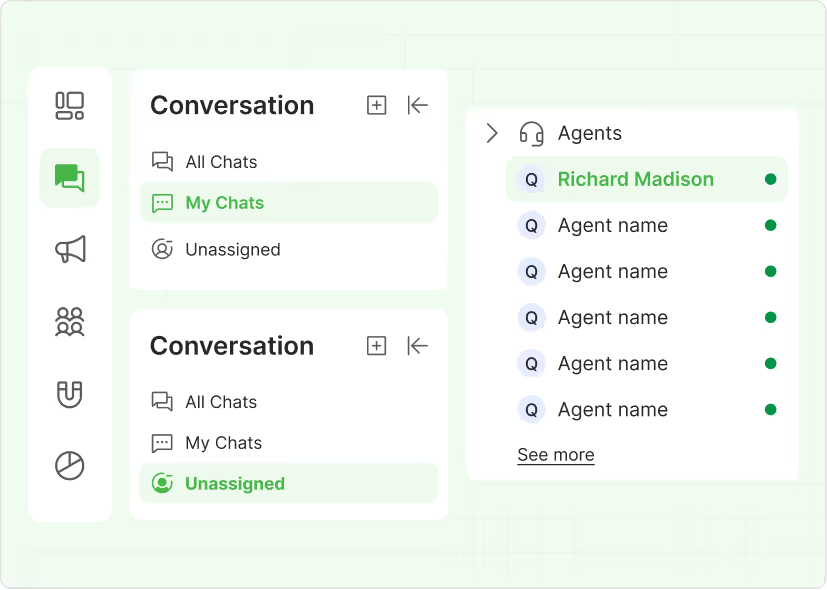
Filter by Agent
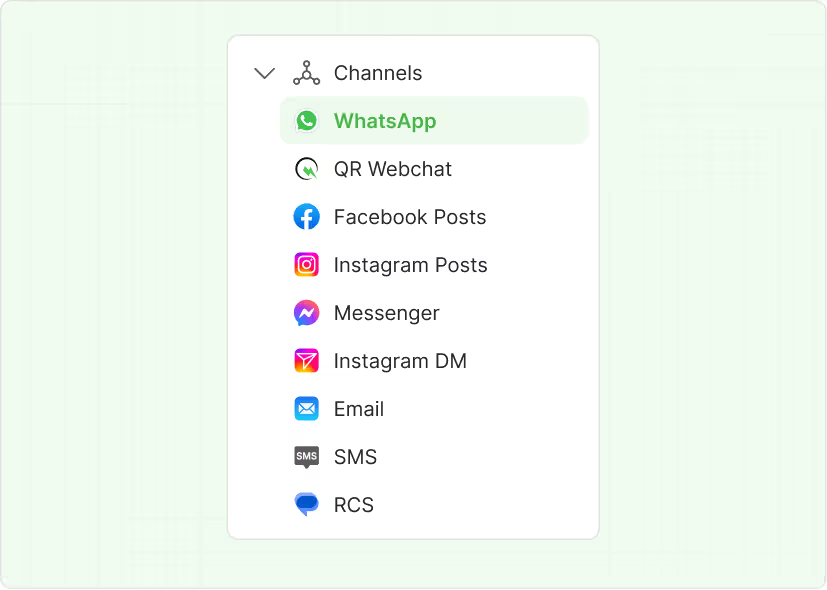
Filter by Channel
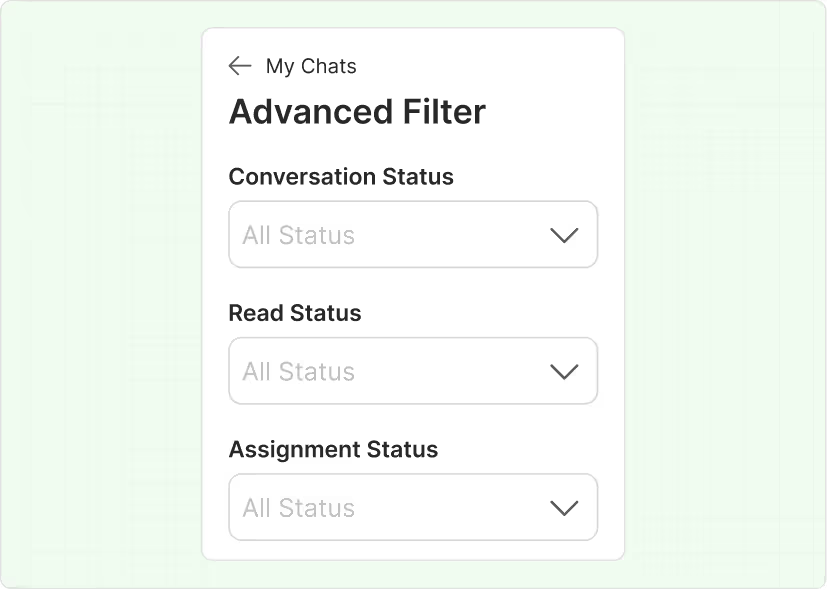
Filter by Chat Status
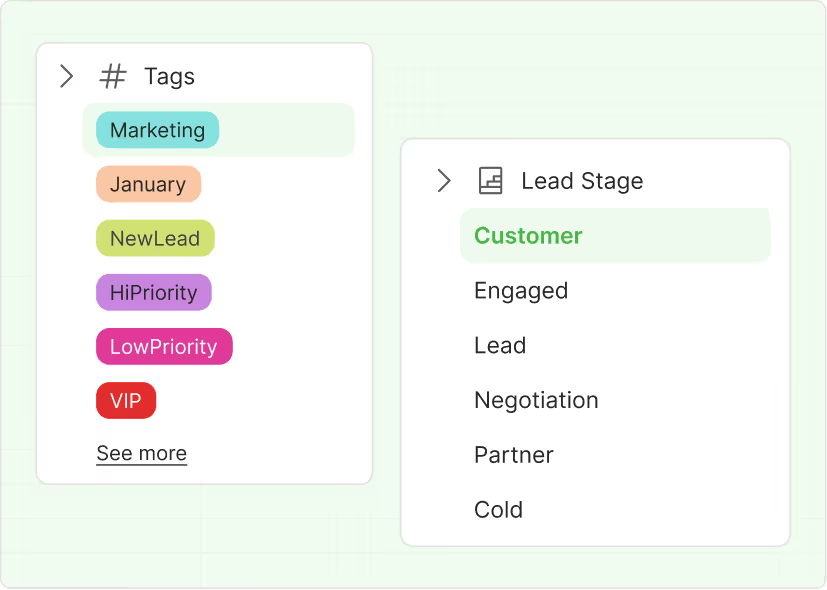
Filter by Tags and Lead Quality
Save Filters as One Click Views
Filter by Agent
Filter by Channel
Filter by Chat Status
Filter by Tags and Lead Quality
Save Filters as One Click Views

How Different Teams Use the Omnichannel Inbox

Use cases for ecommerce
Use cases for non-ecommerce
Product doubts and size / fit questions
Course, program or service enquiries
Order and delivery status updates
Application, case or service status updates
Shipping updates and COD → prepaid nudges
Class, session, fee or meeting reminders
Returns, exchanges and damaged product issues
Billing issues, schedule changes, service complaints
Store visit bookings, styling or product consult slots
Campus visits, counselling calls, site visits, clinic or demo appointments
Offer and launch replies from WhatsApp / Instagram campaigns
Event, webinar or admission campaign replies
VIP buyers, repeat customers, high order value customers
Key accounts, long-term patients/clients, high-potential students
Cart / browse abandonment follow-ups
Enquiry drop-offs and no-shows for visits or meetings
Loyalty, reorder and refill prompts
Ongoing engagement and renewal prompts
Internal IT, HR or operations support chats

Frequently Asked Questions

What is an omnichannel inbox for messaging?

An omnichannel inbox is a single place where your team can see and reply to all customer chats from channels like WhatsApp, your website messenger and Instagram, instead of jumping between different tools and tabs.

Which channels can I connect to this inbox?

You can connect WhatsApp, your web messenger and Instagram, so all new messages, replies and follow-ups from these channels show up in one shared inbox view.

Do I need a separate tool for each channel?

No. The idea of the omnichannel inbox is that your team can log in once, see every active chat across channels and reply from the same screen.

Can I use the same chatbot on WhatsApp, web messenger and Instagram?

Yes. The same chatbot logic can welcome users, answer common questions and collect details on all connected channels, with small tweaks where needed for each channel.

How does handover from chatbot to human work?

The chatbot starts the conversation, asks a few questions and collects context. When a person needs to step in, the chat moves to an agent in the same thread, with the full history visible so the customer does not have to repeat anything.

How does lead assignment work in the inbox?

You can set simple rules so new chats go to the right person or team based on channel, topic, tags or business rules. Each conversation has a clear owner, and agents can mark what happened at the end using simple outcomes.

Can I tag chats and sync that data to my CRM or other systems?

Yes. Agents can add tags and fill key fields inside the inbox. Those tags and fields can be synced to your CRM or other systems where you track leads, customers, students or patients, so records stay aligned.

What kind of filters are available in the inbox?

You can filter chats by agent, channel, status and tags or lead quality. Common views include “My chats”, “Unassigned”, “WhatsApp only”, “New today” or “Hot leads”, and you can save these filters as reusable views.

What analytics do I get from the omnichannel inbox?

You can see how many chats came in, how quickly your team replied, how many were closed and how each agent is performing. You can also look at simple outcomes, such as how many chats turned into qualified leads or solved issues.

Who is this omnichannel inbox designed for?

The inbox works for both ecommerce and non-ecommerce teams. Ecommerce brands use it for orders, returns and repeat purchases, while education, real estate, healthcare and service businesses use it for enquiries, appointments, follow-ups and ongoing support across channels.