WhatsApp Business API for UAE Enterprises

Compliant, scalable WhatsApp communication built for high-volume businesses across UAE and the GCC

Trusted by 1,500+ businesses across 29+ countries

Used by ecommerce, real estate, education, & healthcare teams

Compliant with WhatsApp Business policies

Built for high-volume, regulated markets

Powering WhatsApp automations for 1500+ brands across 29 countries

Who is Instagram Automation for?

WhatsApp Business API is the official WhatsApp platform that allows UAE businesses to send, receive, and automate customer conversations at scale using approved templates, verified business identities, and policy-aligned workflows. It is designed for enterprises that require compliance, multi-team access, high message volumes, and operational control across Dubai, Abu Dhabi, and the wider GCC.

Why UAE Enterprises Move to WhatsApp Business API

Customer Expectation in UAE

WhatsApp is the preferred channel for business communication, especially for high-intent and service-driven interactions.

Customer Expectation in UAE

WhatsApp is the preferred channel for business communication, especially for high-intent and service-driven interactions.

Official WhatsApp Business API for Scalable UAE Operations

Route chats based on channel, topic or form answers

Direct access to the WhatsApp Business Platform with infrastructure aligned to WhatsApp policies.

Route chats based on channel, topic or form answers

Direct access to the WhatsApp Business Platform with infrastructure aligned to WhatsApp policies.

Route chats based on channel, topic or form answers

Direct access to the WhatsApp Business Platform with infrastructure aligned to WhatsApp policies.

Route chats based on channel, topic or form answers

Direct access to the WhatsApp Business Platform with infrastructure aligned to WhatsApp policies.

Route chats based on channel, topic or form answers

Direct access to the WhatsApp Business Platform with infrastructure aligned to WhatsApp policies.

Route chats based on channel, topic or form answers

Direct access to the WhatsApp Business Platform with infrastructure aligned to WhatsApp policies.

Tags and Customer Details That Travel With Every Chat

Route chats based on channel, topic or form answers

The Green Tick confirms an officially verified business account, increasing trust and brand recognition on WhatsApp.

Route chats based on channel, topic or form answers

Direct access to the WhatsApp Business Platform with infrastructure aligned to WhatsApp policies.

Route chats based on channel, topic or form answers

Direct access to the WhatsApp Business Platform with infrastructure aligned to WhatsApp policies.

UAE-Ready WhatsApp Business API Pricing

Starter

An entry-level option ideal for small businesses, offering basic features, limited flows and Integrations
Omnichannel messaging
starting from
$39/mo
*All taxes extra
**Messaging charges extra
Book a Demo
WhatsApp Website Widget
Welcome / Exit Popups
Cart Checkout Abandonment
Order Alerts
Blue Tick Application
Email Support
Supported Integration

Standard

Most Popular
A comprehensive package designed for growing businesses, including advanced segmentation features & support
Omnichannel messaging
starting from
$99/mo
*All taxes extra
**Messaging charges extra
Book a Demo
Everything in Starter plus
Collect Feedback
Cross-Sell / Upsell
WhatsApp Bots
Keyword Based Response
Chat Support
CRM one-way sync
Supported Integration

Plus

A premium offering tailored for large businesses, with full feature access, Whatsapp flows and white-glove service
Omnichannel messaging
starting from
$199/mo
*All taxes extra
**Messaging charges extra
Book a Demo
Everything in Standard plus
White Glove Services
Custom Chatbot Setups
GenAI Chatbots
Custom Integrations With 3rd Party Systems
Product Browsing & Add-to-Cart Abandonment
Supported Integration

Enterprise

A flexible, enterprise solution catering to specific business needs, offering personalized features and dedicated support
Talk to Sales
*All taxes extra
**Messaging charges extra
Book a Demo

From Messy Inbox to Clear Priorities

When chats pile up, your team should not scroll endlessly. QuickReply.ai lets you filter conversations by person, channel, status or lead quality, and save those views, so everyone can focus on the chats that matter most to them.

Ecommerce Brands

High-Intent Customer Conversations at Scale

Manage conversations across WhatsApp, Instagram, Facebook Messenger, Web Chat, SMS, and RCS from a single platform.

Ecommerce Brands

High-Intent Customer Conversations at Scale

Manage conversations across WhatsApp, Instagram, Facebook Messenger, Web Chat, SMS, and RCS from a single platform.

Ecommerce Brands

High-Intent Customer Conversations at Scale

Manage conversations across WhatsApp, Instagram, Facebook Messenger, Web Chat, SMS, and RCS from a single platform.

Ecommerce Brands

High-Intent Customer Conversations at Scale

Manage conversations across WhatsApp, Instagram, Facebook Messenger, Web Chat, SMS, and RCS from a single platform.

Extend Beyond WhatsApp with a Unified Conversations Dashboard

Multiple Customer Channels

Manage conversations across WhatsApp, Instagram, Facebook Messenger, Web Chat, SMS, and RCS from a single platform.

Multiple Customer Channels

Manage conversations across WhatsApp, Instagram, Facebook Messenger, Web Chat, SMS, and RCS from a single platform.

Multiple Customer Channels

Manage conversations across WhatsApp, Instagram, Facebook Messenger, Web Chat, SMS, and RCS from a single platform.

Multiple Customer Channels

Manage conversations across WhatsApp, Instagram, Facebook Messenger, Web Chat, SMS, and RCS from a single platform.

Real Results from WhatsApp Business API Deployments

How Hero Homes Built a Complete WhatsApp-to-ERP Lead Journey

See how Hero Homes automated WhatsApp lead capture, qualification and ERP sync to reduce lead leakage and improve sales productivity across real estate projects.

How Sanctity Ferme Reduced Follow-Up Time by 60% Using WhatsApp

Discover how Sanctity Ferme uses WhatsApp automation to streamline stay bookings, qualify property leads and improve response speed, occupancy and site visit conversions.

AAYNA Clinic turns high-intent clicks into confirmed bookings with WhatsApp

Discover how AAYNA Clinic boosted patient bookings by 74%, cut no-shows by half, and achieved 91% campaign open rates with QuickReply.ai’s WhatsApp automation.

Frequently Asked Questions

What is an omnichannel inbox for messaging?

An omnichannel inbox is a single place where your team can see and reply to all customer chats from channels like WhatsApp, your website messenger and Instagram, instead of jumping between different tools and tabs.

Which channels can I connect to this inbox?

You can connect WhatsApp, your web messenger and Instagram, so all new messages, replies and follow-ups from these channels show up in one shared inbox view.

Do I need a separate tool for each channel?

No. The idea of the omnichannel inbox is that your team can log in once, see every active chat across channels and reply from the same screen.

Can I use the same chatbot on WhatsApp, web messenger and Instagram?

Yes. The same chatbot logic can welcome users, answer common questions and collect details on all connected channels, with small tweaks where needed for each channel.

How does handover from chatbot to human work?

The chatbot starts the conversation, asks a few questions and collects context. When a person needs to step in, the chat moves to an agent in the same thread, with the full history visible so the customer does not have to repeat anything.

How does lead assignment work in the inbox?

You can set simple rules so new chats go to the right person or team based on channel, topic, tags or business rules. Each conversation has a clear owner, and agents can mark what happened at the end using simple outcomes.

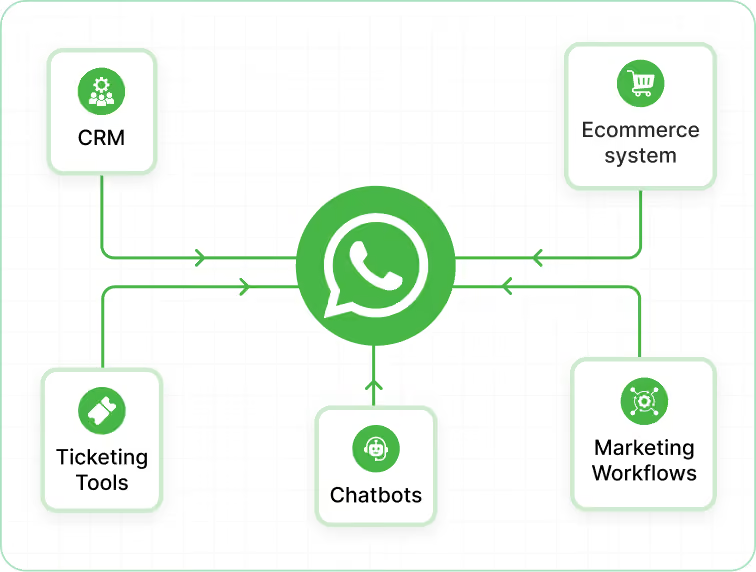
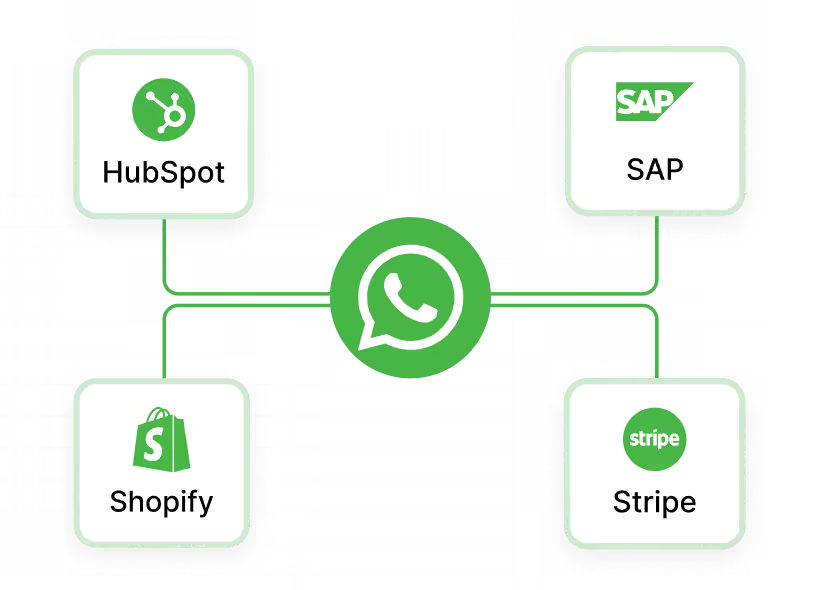
Can I tag chats and sync that data to my CRM or other systems?

Yes. Agents can add tags and fill key fields inside the inbox. Those tags and fields can be synced to your CRM or other systems where you track leads, customers, students or patients, so records stay aligned.

What kind of filters are available in the inbox?

You can filter chats by agent, channel, status and tags or lead quality. Common views include “My chats”, “Unassigned”, “WhatsApp only”, “New today” or “Hot leads”, and you can save these filters as reusable views.

What analytics do I get from the omnichannel inbox?

You can see how many chats came in, how quickly your team replied, how many were closed and how each agent is performing. You can also look at simple outcomes, such as how many chats turned into qualified leads or solved issues.

Who is this omnichannel inbox designed for?

The inbox works for both ecommerce and non-ecommerce teams. Ecommerce brands use it for orders, returns and repeat purchases, while education, real estate, healthcare and service businesses use it for enquiries, appointments, follow-ups and ongoing support across channels.