Don’t Just Measure Web Traffic, Start Converting It.

Turn anonymous visits into sales with proactive engagement, smart lead capture, and agent handoff.

Rated 4.9 on G2 and Shopify App Store

Powering 1500+ businesses across 29 countries

Everything you need to convert visitors

Proactive Engagement

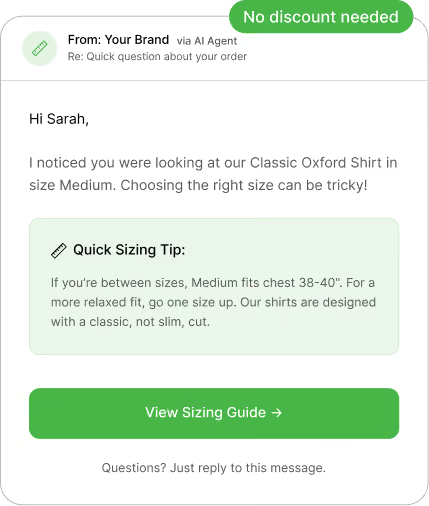
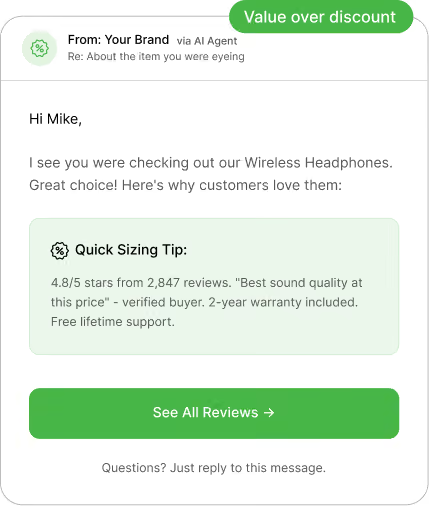
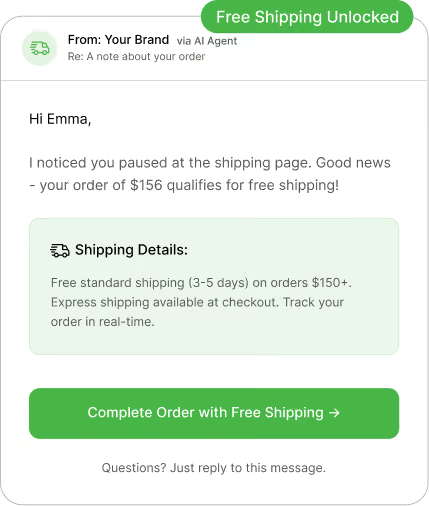
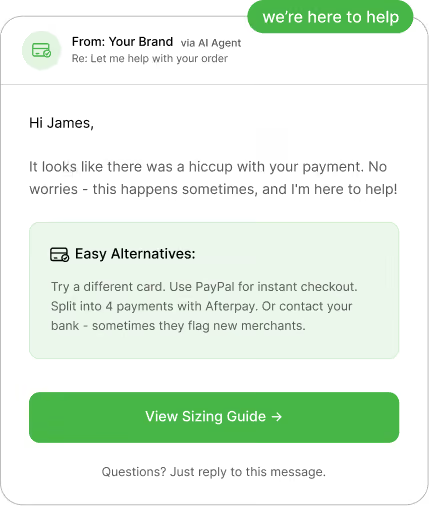
Don’t wait for visitors to ask. Trigger personalized conversations based on page, location, source, time on site, and device type.

Behavior-based trigger

Page-specific messages

Exit-intent detection

Time-delayed prompts

Smart Lead Capture

Forget boring forms. Gather information through natural conversation with 3X higher completion rates than traditional forms.

Conversational data collection

Progressive profiling

Smart field validation

CRM auto-sync

Seamless Handoff

AI handles the routine questions. When it’s time to close, your team takes over with full context – no repetition needed.

Smart escalation rules

Full conversation history

Agent availability routing

Zero context loss

Hot Lead Alerts

AI identifies high-intent visitors and instantly alerts your sales team. Never miss a hot prospect again.

Real-time notifications

Lead scoring

Slack/Email/SMS alerts

Priority routing

Analytics & Insights

Understand what converts visitors to leads. Get actionable insights to optimize your chatbot and maximize ROI.

Conversation analytics

Conversion tracking

Drop-off analysis

A/B testing

Advanced Bot Capabilities

 Build sophisticated chatbot flows with rich media, forms, payments, and smart logic. No coding required.

Smart Forms

Capture emails, phone numbers, names, and custom data with conversational form flows.

Smart Forms

Capture emails, phone numbers, names, and custom data with conversational form flows.

Smart Forms

Capture emails, phone numbers, names, and custom data with conversational form flows.

Smart Forms

Capture emails, phone numbers, names, and custom data with conversational form flows.

Smart Forms

Capture emails, phone numbers, names, and custom data with conversational form flows.

Smart Forms

Capture emails, phone numbers, names, and custom data with conversational form flows.

Frequently Asked Questions

You’re in good company

Trusted by brands across industries, geographies, and sizes, including those servicing both B2B and B2C markets.

Security you can trust

As a data company, we understand the importance of keeping your company’s data secure.

Integration with your tools

Seamlessly connect the database and applications you rely on to scale your business.

Frequently Asked Questions

Is Intelliticks now QuickReply?

Yes. Intelliticks is now part of QuickReply. QuickReply is our omnichannel customer engagement platform, and it includes website chatbots (previously offered under Intelliticks) along with additional channels and workflows.

I’m an existing Intelliticks customer, can I still use my chatbot?

Yes. Nothing changes for your existing chatbot setup. You can continue using your website chatbot as usual.

Will my Intelliticks login still work?

Yes. Your Intelliticks login remains the same and you can continue accessing your account using your existing credentials.

Are my existing Intelliticks chatbot flows and data safe?

Yes. Your chatbot configuration, flows, and existing setup remain intact. The transition is designed to ensure continuity for existing customers.

Frequently Asked Questions

What is an omnichannel inbox for messaging?

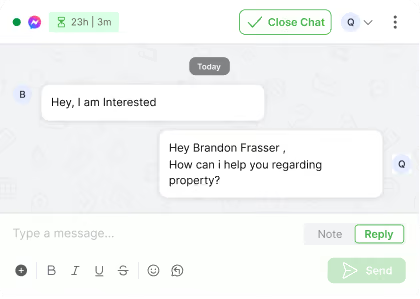
An omnichannel inbox is a single place where your team can see and reply to all customer chats from channels like WhatsApp, your website messenger and Instagram, instead of jumping between different tools and tabs.

Which channels can I connect to this inbox?

You can connect WhatsApp, your web messenger and Instagram, so all new messages, replies and follow-ups from these channels show up in one shared inbox view.

Do I need a separate tool for each channel?

No. The idea of the omnichannel inbox is that your team can log in once, see every active chat across channels and reply from the same screen.

Can I use the same chatbot on WhatsApp, web messenger and Instagram?

Yes. The same chatbot logic can welcome users, answer common questions and collect details on all connected channels, with small tweaks where needed for each channel.

How does handover from chatbot to human work?

The chatbot starts the conversation, asks a few questions and collects context. When a person needs to step in, the chat moves to an agent in the same thread, with the full history visible so the customer does not have to repeat anything.

How does lead assignment work in the inbox?

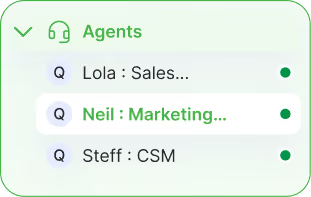
You can set simple rules so new chats go to the right person or team based on channel, topic, tags or business rules. Each conversation has a clear owner, and agents can mark what happened at the end using simple outcomes.

Can I tag chats and sync that data to my CRM or other systems?

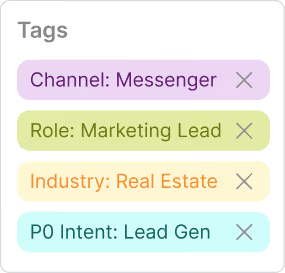
Yes. Agents can add tags and fill key fields inside the inbox. Those tags and fields can be synced to your CRM or other systems where you track leads, customers, students or patients, so records stay aligned.

What kind of filters are available in the inbox?

You can filter chats by agent, channel, status and tags or lead quality. Common views include “My chats”, “Unassigned”, “WhatsApp only”, “New today” or “Hot leads”, and you can save these filters as reusable views.

What analytics do I get from the omnichannel inbox?

You can see how many chats came in, how quickly your team replied, how many were closed and how each agent is performing. You can also look at simple outcomes, such as how many chats turned into qualified leads or solved issues.

Who is this omnichannel inbox designed for?

The inbox works for both ecommerce and non-ecommerce teams. Ecommerce brands use it for orders, returns and repeat purchases, while education, real estate, healthcare and service businesses use it for enquiries, appointments, follow-ups and ongoing support across channels.