Sell on WhatsApp: Drive Faster Sales With WhatsApp Checkout Links

Copied to clipboard!

Getting a customer interested in a product is one challenge. Getting them from that interest to a completed purchase is another.

Every extra step in between creates friction.

A customer might discover a product on Instagram, visit your store, compare options, add something to their cart and then leave. Another might be interested in a product promoted through a WhatsApp broadcast but drop off because completing the purchase requires too many steps.

WhatsApp checkout links can shorten this journey.

Instead of using WhatsApp only to bring customers back to your website, businesses can use checkout links to move high-intent shoppers closer to the point of purchase.

That could mean helping an abandoned shopper resume checkout, letting a customer buy a product promoted in a WhatsApp campaign, sending a pre-loaded Shopify cart, or collecting payment after a sale has already been agreed upon.

The idea is simple:

When the customer's intent is already known, don't make them start their buying journey again. Help them complete the next step.

This is where checkout links can turn WhatsApp from another communication channel into a channel that actively drives sales on WhatsApp.

What Are WhatsApp Checkout Links?

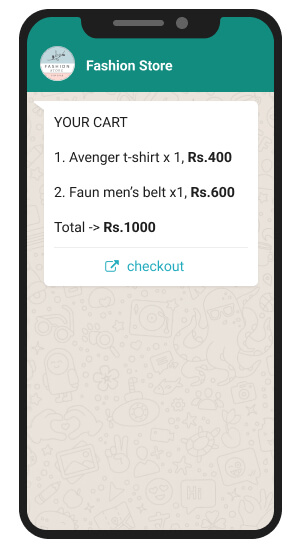
A WhatsApp checkout link is a link shared with a customer over WhatsApp that takes them directly towards completing a purchase.

The exact experience depends on the store and ecommerce setup. The link may take a shopper to a checkout they already started, a cart containing selected products, or a checkout with specific products already loaded.

For example, Shopify supports cart permalinks that can take customers directly to a cart or checkout with specific products pre-loaded. Shopify also allows these links to be shared through chat messages.

WhatsApp itself can also play a larger role in product discovery. Meta supports catalogs and catalog templates that allow businesses to showcase products within WhatsApp conversations.

Together, these capabilities make it possible to create a shorter path such as:

WhatsApp message → Product interest → Checkout → Purchase

rather than:

WhatsApp message → Homepage → Search → Product → Cart → Checkout → Purchase

The goal is not to force every customer straight to checkout. It is to remove steps that no longer add value.

How WhatsApp Checkout Links Help Shorten the Sales Cycle

Customers can land on a website from many different sources. They may click an Instagram ad, search for a product on Google, follow a recommendation, or actively look for a service such as an online course.

As they explore the website, they leave behind signals of intent. They may view a product, check an offer, add something to their cart, fill in their details, or even reach checkout.

But not every interested customer completes the journey in the same session.

This is where WhatsApp can be used as a reminder and conversion channel.

Because customers use WhatsApp frequently, businesses can reconnect with them after they drop off and nudge them towards the action they were already considering.

The message can also match the stage at which the customer left:

  • Someone who was browsing can receive relevant product recommendations.
  • Someone looking for an offer can receive a relevant promotion or discount.
  • Someone who reached checkout can receive a WhatsApp checkout link to continue the purchase.
  • Someone enquiring about a course or service can receive the next relevant information or payment link.

Instead of restarting the entire journey, WhatsApp helps bring the customer back into the process with the right context and a clear next action.

The objective is simple: remind interested customers at the right time, reduce the effort required to continue, and nudge them towards completing the sales cycle.

6 Ways to Use WhatsApp Checkout Links to Drive Sales

1. Recover Abandoned Checkouts on WhatsApp

A customer who reaches checkout has already shown strong purchase intent. They have selected the products they want and moved close to completing the order, but may still leave because of distractions, payment issues, second thoughts or other reasons.

Businesses can use WhatsApp to reconnect with these high-intent shoppers and bring them back to the purchase.

When a checkout is abandoned, an automated WhatsApp message can be triggered with relevant details from the customer's order, such as the product name, image, price or selected items. The message can then include a WhatsApp checkout link that lets the shopper return to the checkout and continue the purchase.

For example, if a customer leaves after adding a cleanser and sunscreen to their order, the WhatsApp message can remind them about those exact products and provide a Complete Checkout CTA.

The journey becomes:

Checkout abandoned → WhatsApp reminder with product details → Checkout link → Purchase

This makes WhatsApp particularly effective for checkout recovery because the message does more than remind the customer that they left something behind. It restores the context of their purchase and gives them an immediate way to act on it.

For ecommerce brands looking to increase sales on WhatsApp, abandoned checkout recovery is one of the most direct applications of WhatsApp checkout links: reach customers when their purchase intent is already high and make it easier for them to finish the order.

2. Turn WhatsApp Into a Direct Buying Channel

Businesses can use WhatsApp broadcasts not just to announce products, but to move customers directly into a buying journey.

For example, a fashion brand launching a new collection can send a bulk WhatsApp campaign to its customer base with product images, offer details and a CTA that takes interested shoppers directly to the relevant product page or checkout.

A campaign could promote:

  • A new product or collection
  • A limited-time sale
  • A discount or coupon
  • A predefined bundle
  • A back-in-stock product
  • An exclusive offer for a customer segment

WhatsApp can also make the experience more interactive.

Through WhatsApp Business Platform catalogs and product messages, businesses can showcase products directly inside the conversation. Customers can browse the catalog, view individual products and explore multiple products without first visiting the store website.

For example, instead of sending:

Our Summer Collection is now live.

with a generic website link, the business can let customers explore the collection directly on WhatsApp.

Once a customer shows interest in a product, the next message can move them closer to purchase with a relevant WhatsApp checkout link.

The journey can look like:

WhatsApp broadcast → Explore products on WhatsApp → Select a product → Checkout link → Purchase

Businesses can also make campaigns more conversion-focused by combining the product with an incentive:

Get 20% off the new Linen Collection today.

Shop Now

The CTA can take the customer directly towards the promoted product or checkout experience, reducing the number of steps between seeing the campaign and making the purchase.

This turns WhatsApp broadcasts from simple promotional messages into direct buying opportunities, helping businesses use WhatsApp to generate sales rather than only website traffic.

3. Turn Product Recommendations Into Immediate Purchase Opportunities

WhatsApp can also shorten the sales cycle when a customer is already speaking with the business.

For example, a customer might message an electronics retailer:

I need wireless earbuds with good noise cancellation under ₹8,000.

A chatbot, AI assistant, or sales agent can recommend relevant options directly in the conversation.

Once the customer selects a product, the business does not need to send them back to the website to search for it again. The next step can be a direct product or WhatsApp checkout link that moves them towards completing the purchase.

The journey becomes:

Customer enquiry → Product recommendation → Product selected → Checkout → Purchase

This is especially useful for products where customers often need help choosing the right option, such as electronics, beauty products, fashion, furniture, or other considered purchases.

Here, WhatsApp does more than generate interest. It helps the business understand the requirement, recommend the right product, and convert that conversation into a sale.

4. Make Back-in-Stock and Price-Drop Alerts Immediately Shoppable

A customer has been waiting three weeks for a particular pair of sneakers in size 9.

The product finally comes back in stock. The brand sends:

Your Urban Runner, Size 9, is back in stock.

Get Mine (CTA Button)

The customer can be taken directly towards that specific product or checkout experience.

The same principle works for:

  • Price-drop alerts
  • Waitlist notifications
  • Limited-stock reminders
  • Early-access launches
  • Wishlist campaigns

These customers have already done much of the discovery work.

The WhatsApp message should capitalize on that intent rather than restart it.

5. Make Repeat Purchases Faster

For repeat customers, the buying cycle can be even shorter.

Imagine a customer purchases the same 5 kg pack of dog food every month.

After an appropriate period, the brand sends:

Time for Bruno's next pack?

Reorder Now (CTA button)

The customer should not necessarily need to:

Open website → Search dog food → Select pack size → Add to cart → Checkout

The business already knows what they previously purchased.

This can work particularly well for categories with predictable repeat-purchase behaviour, such as:

  • Pet food
  • Skincare
  • Supplements
  • Coffee
  • Personal care
  • Household essentials

For these brands, WhatsApp checkout links can support both retention and repeat WhatsApp sales by making reordering more convenient.

6. Send a Payment Link When the Sale Is Already Decided

Sometimes there is no reason to send a customer through ecommerce checkout at all.

Imagine a furniture business helping a customer over WhatsApp.

The customer confirms:

Yes, I'll take the walnut finish dining table. Please go ahead.

The product decision has already happened.

At this point, the business may only need to collect payment. Instead of saying:

Please visit our website and place the order.

The next message can contain a payment link:

Great. You can complete your payment here.

Pay Now (CTA Button)

Meta supports payment-link and payment-gateway experiences for eligible WhatsApp Business setups in supported markets. In India, Meta's Payments API documentation includes payment links and supported payment gateway integrations.

Payment links can therefore be useful for scenarios such as:

  • Assisted sales
  • Pending payments
  • Service bookings
  • Consultation fees
  • Order deposits
  • COD-to-prepaid journeys

The principle is the same as with WhatsApp checkout links:

If the customer has already completed the decision-making step, don't make them repeat it just to pay.

How WhatsApp Checkout Links Can Work With Shopify

For Shopify stores, WhatsApp can be connected directly with the shopping journey so customers can move from a WhatsApp message to a relevant cart or checkout without starting again from the storefront.

Shopify supports cart permalinks, which can be created with specific products, variants and quantities already added. These links can then be shared with customers through WhatsApp.

For example, if a customer has already selected a particular product and variant, the WhatsApp CTA can take them to a Shopify cart with those selections already loaded.

The journey can be as simple as:

WhatsApp message → Pre-loaded Shopify cart → Checkout → Purchase

This also makes it possible to create links for multiple products, bundles or specific offers.

When Shopify is connected with a WhatsApp automation platform such as QuickReply.ai, ecommerce activity can also be used to decide when these messages should be sent.

For example, businesses can trigger WhatsApp communication based on actions such as:

  • Product browsing
  • Cart abandonment
  • Checkout abandonment
  • Order or payment status
  • Previous purchases

This allows Shopify to provide the commerce context while WhatsApp becomes the channel that brings the customer back and nudges them towards completing the purchase.

So instead of treating Shopify and WhatsApp as separate channels, businesses can connect the two to create a more continuous path from customer intent to checkout.

Tips for Using WhatsApp Checkout Links Effectively

WhatsApp checkout links work best when they are shared at the right stage of the buying journey and make it easier for the customer to take the next action.

Here are a few practical tips to use them effectively.

1. Share Checkout Links With High-Intent Customers

Checkout Links

Not every customer is ready to check out.

Someone discovering your brand may still need to explore products, while a shopper who has already selected an item or started checkout is much closer to purchasing.

Use signals such as product views, cart activity, checkout behaviour, previous purchases or conversations to decide when a WhatsApp checkout link is the right next step.

2. Give Customers Enough Context to Continue

A checkout message should remind the customer what they were interested in instead of sending a standalone link.

Include relevant details such as:

  • Product name
  • Product image
  • Selected variant
  • Offer or discount
  • Cart or order details

For example:

Your Linen Co-ord in Sage Green is still available. Complete your order below.

Complete Checkout

This helps the customer quickly understand why they are receiving the message and what they need to do next.

3. Keep the CTA Clear and Focused

If the objective is to complete a purchase, the message should make that action obvious.

Use specific CTAs such as:

  • Complete Checkout
  • Buy Now
  • Reorder Now
  • Get the Offer
  • Pay Now

Avoid filling the same message with multiple competing actions. A clear primary CTA makes the next step easier to understand.

4. Automate Follow-Ups Based on Customer Actions

Not every customer will purchase after the first message.

Businesses can create follow-up journeys that respond to what the customer does next.

For example:

Checkout abandoned → WhatsApp reminder → No purchase → Follow-up → Purchase completed → Stop reminders

Once the customer converts, checkout-related messages should automatically stop and the customer should move into the appropriate post-purchase journey.

This prevents unnecessary messages and keeps the communication relevant.

5. Let Customers Ask for Help Before They Checkout

Sometimes the customer is interested in purchasing but still has a question about size, delivery, returns, product compatibility, discounts or payment.

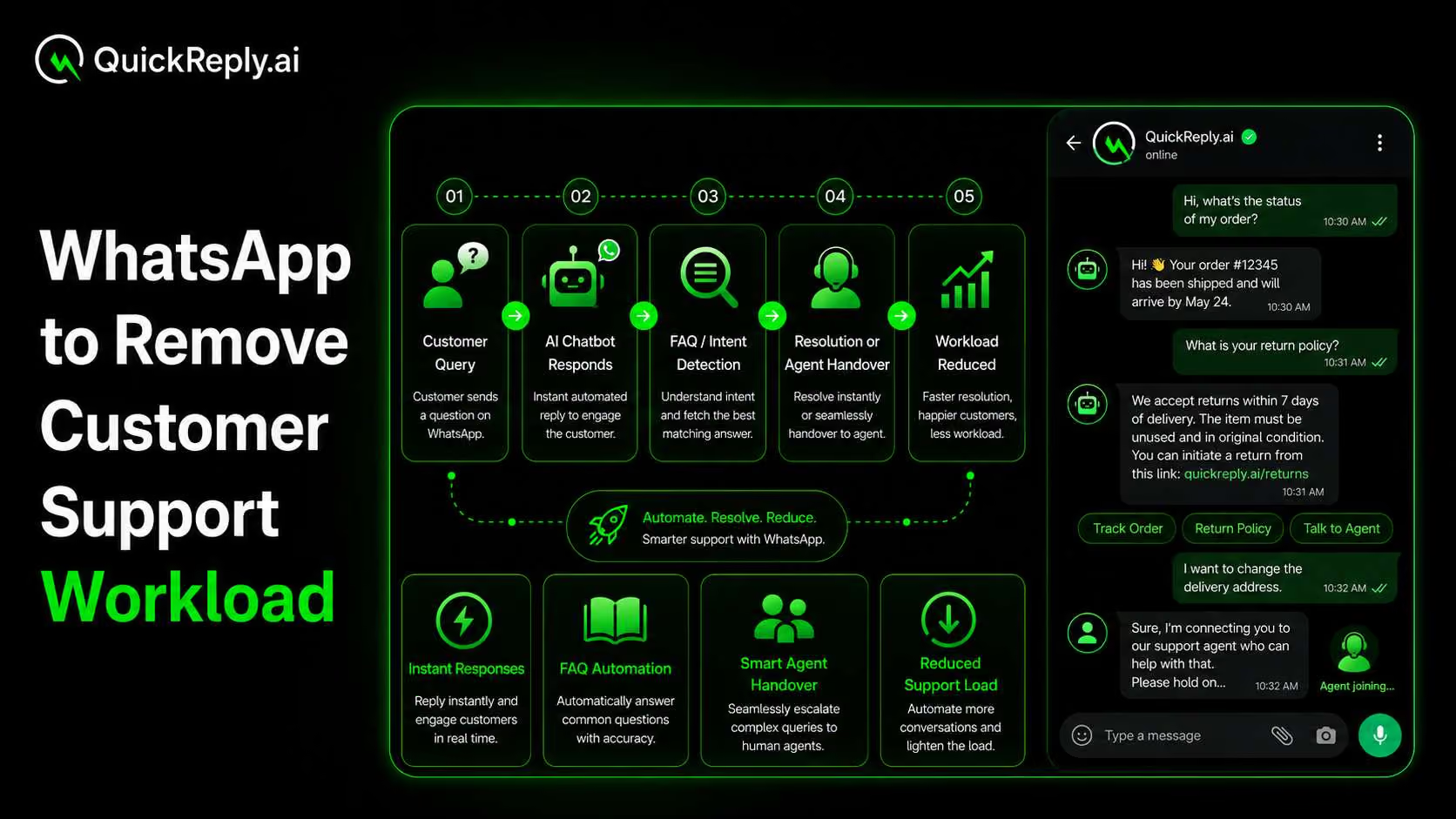
Since the conversation is already happening on WhatsApp, give customers the option to reply and get help from a chatbot or sales agent.

The journey can then become:

Customer question → Query resolved → Checkout link → Purchase

This is especially useful for considered purchases where answering one final question may be all that is needed to complete the sale.

Drive More Sales on WhatsApp With QuickReply.ai

WhatsApp checkout links become much more powerful when they are connected with the rest of the customer journey.

With QuickReply.ai, businesses can use WhatsApp for marketing campaigns, multi-step automated journeys, abandoned-cart recovery, chatbot conversations and ecommerce-triggered communication from one platform.

For Shopify businesses, that means WhatsApp does not need to operate separately from the store.

Customer activity can become the context behind the next WhatsApp interaction, helping brands reach shoppers with messages that are closer to what they actually need to do next. 

Turn 1 time visitor into repeat customer with WhatsApp marketing

Leverage the untapped growth potential of WhatsApp marketing to acquire and retain customers.

Frequently Asked Questions

What is a WhatsApp checkout link?

A WhatsApp checkout link is a link sent to a customer through WhatsApp that takes them directly towards completing a purchase. Depending on the ecommerce setup, it can lead to an existing checkout or a cart or checkout with selected products already loaded.

Can I use WhatsApp checkout links with Shopify?

Yes. Shopify supports cart permalinks that can take customers directly to a cart or checkout with specific products pre-loaded, and Shopify states that these links can be shared through chat messages.

Can WhatsApp checkout links help recover abandoned checkouts?

Yes. If a shopper has already reached checkout, a WhatsApp recovery message can direct them back towards completing their purchase rather than asking them to restart the entire shopping journey. The implementation depends on the ecommerce and WhatsApp automation setup.

Can businesses send payment links on WhatsApp?

Yes. Meta supports payment-link capabilities for eligible WhatsApp Business setups in supported markets. In India, Meta documents payment-link and payment-gateway options through the WhatsApp Payments API.

How can checkout links increase sales on WhatsApp?

Checkout links can reduce unnecessary steps between customer intent and purchase. They can be used in high-intent recovery messages, campaigns, conversational sales, product alerts, repeat-purchase journeys and other situations where the business already knows what the customer wants.

Should every WhatsApp sales message contain a checkout link?

No. Checkout links work best when customers have enough purchase intent. Customers who are still exploring may need more product information, while customers who have already made a decision can be sent much closer to checkout or payment.