Benefits of Integrating Automated Rich Messaging With CRM Systems

Copied to clipboard!

Customer relationship management systems give businesses a structured view of their customers. They store contact information, purchase history, lead stages, service requests, previous interactions and other valuable data.

However, storing customer information is only one part of customer relationship management. Businesses must also use that information to communicate with customers at the right moment.

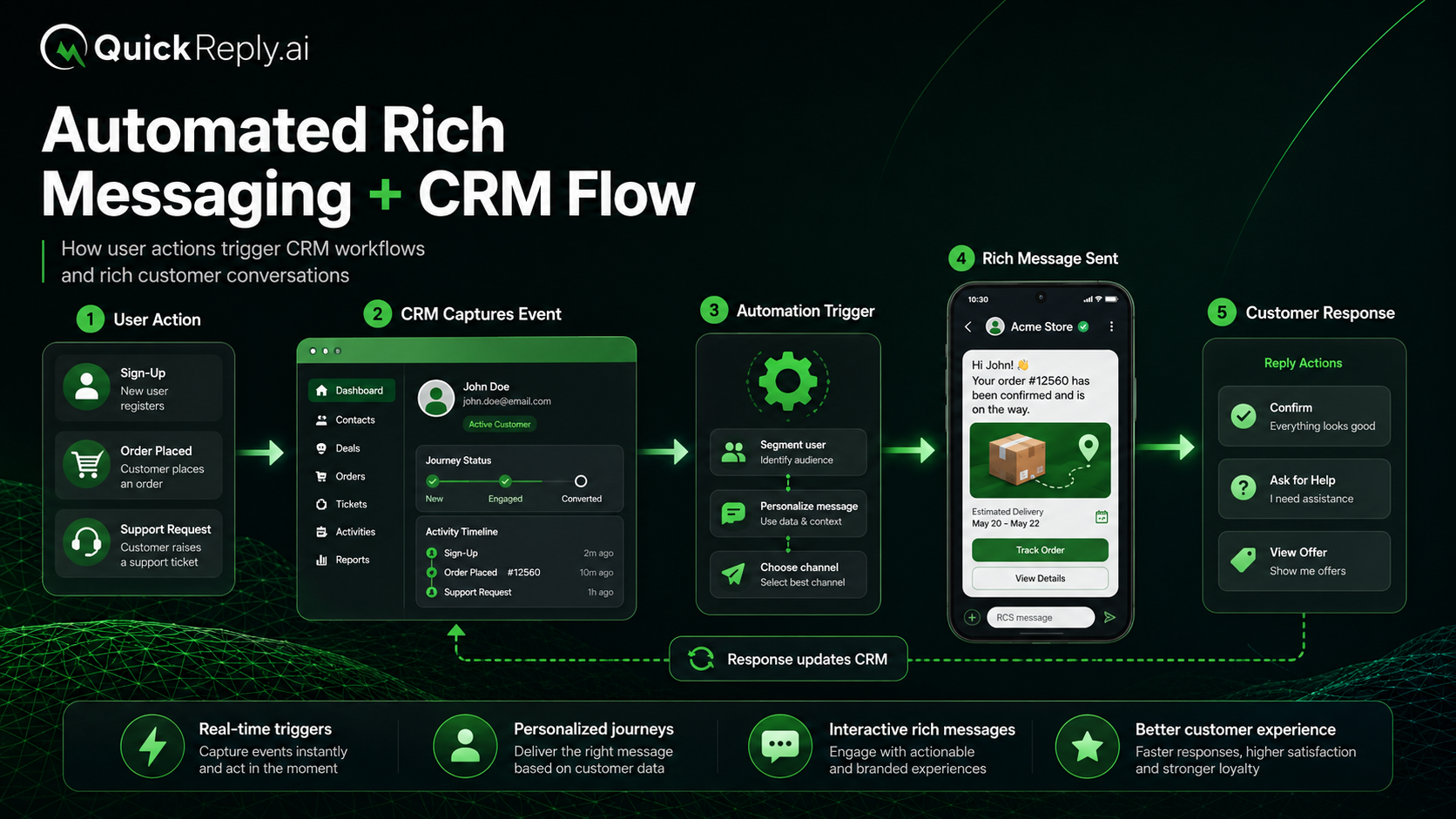
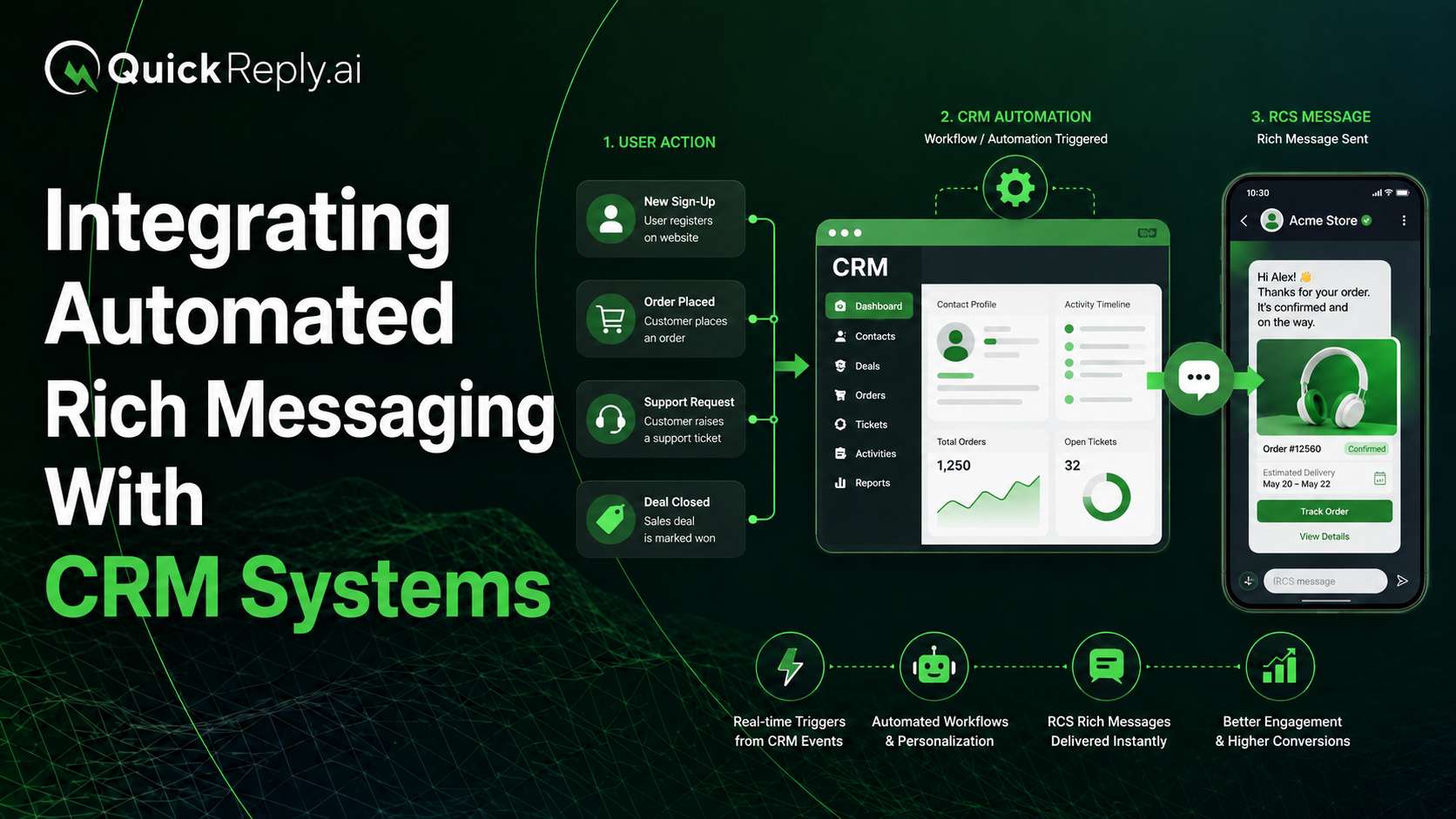
Integrating a CRM with an automated rich messaging platform turns stored customer data into timely, interactive conversations. CRM events can trigger personalised messages, while customer replies and actions can update records and determine what happens next.

The result is a connected cycle:

Customer data → relevant message → customer response → CRM update → better next interaction

In this blog, we will share the how integrating automated rich messaging with CRMs will smoothen customer journey and improve their experience. 

What Is CRM-Integrated Rich Messaging?

Automated Rich Messaging integrated with CRM Flow

CRM-integrated rich messaging allows businesses to automatically communicate with customers based on information and events recorded in their CRM.

For example, when a sales representative moves a lead to the “Quotation Shared” stage, the CRM can trigger a message containing:

  • A summary of the quotation
  • A product image or brochure
  • A button to view the complete proposal
  • An option to contact the sales representative
  • Suggested replies to accept, reject or request changes

RCS can combine text, media and interactive actions within the same messaging experience. When the customer responds or selects an option, that information can be returned to the CRM and used to update the record or continue the workflow.

This connects customer intelligence with customer engagement instead of treating the CRM and messaging channels as separate systems.

Benefits of Integrating Automated Rich Messaging With CRM Systems

Here are the six benefits of integrating automated rich messaging with CRM systems:

1. Personalise Messages Using CRM Data

Generic communication treats every customer in the same way. CRM-integrated messaging allows businesses to tailor conversations using information already available in the customer record.

Messages can be personalised using:

  • Customer name and location
  • Product or service interest
  • Purchase history
  • Lead stage
  • Appointment status
  • Subscription or renewal date
  • Previous conversations
  • Assigned sales or support representative

Consider an automotive business. Instead of sending a general appointment reminder, it could send:

Your test drive for the Grand Vitara is scheduled for Saturday at 11:00 AM. Confirm your appointment, reschedule it or contact your advisor.

The value comes from more than inserting the customer’s name. The message reflects the customer’s current requirement and provides the most relevant next step.

2. Trigger Messages at Important Journey Moments

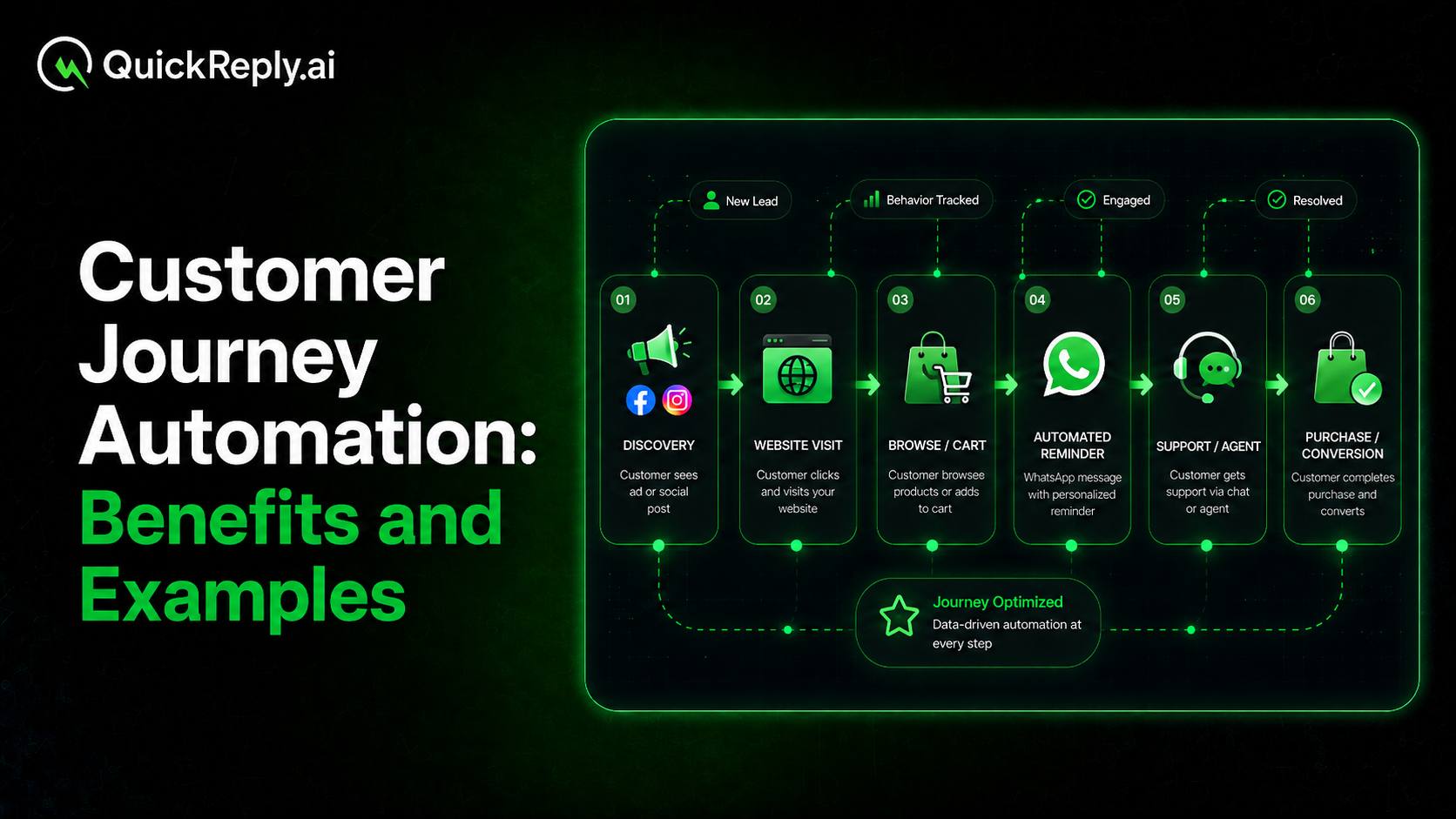
A CRM records events that show where a customer is in the buying or service journey. Connecting these events to an automated messaging platform allows communication to be triggered without waiting for a team member to intervene manually.

Common CRM triggers include:

  • A new lead being created
  • A lead moving to another sales stage
  • An appointment being booked
  • A quotation being generated
  • An order being dispatched
  • A payment becoming due
  • A subscription approaching renewal
  • A service ticket changing status
  • A customer becoming inactive

For example, when a prospective student submits an application, the CRM could immediately send a confirmation message with the remaining document requirements and an option to speak with a counsellor.

This reduces the delay between an important customer event and the corresponding communication. Teams no longer need to track every follow-up manually, while customers receive information when it is most useful.

3. Enable Customer Actions and Capture Them in the CRM

Traditional CRM notifications often inform customers but require them to switch to another channel to complete an action.

Rich messaging shortens that journey by allowing customers to respond or take the next step directly from the message.

Depending on the use case, customers may be able to:

  • Confirm or reschedule an appointment
  • View products in a carousel
  • Open a payment or checkout page
  • Call a sales representative
  • Find the nearest branch
  • Request a quotation
  • Select a support category
  • Add an event to their calendar
  • Choose a preferred product or service

These interactions should not remain isolated within the messaging platform. Customer actions can be returned through configured webhooks and recorded in the CRM.

Businesses can capture information such as:

  • Customer replies
  • Selected buttons or suggested replies
  • Product interest
  • Appointment confirmations
  • Service preferences
  • Follow-up requests
  • Opt-outs
  • Conversion outcomes

The CRM can then update customer fields, change a lead stage, create a task or trigger the next automated message.

This creates a continuous feedback loop in which every interaction improves the customer record and informs the next step.

4. Improve Lead Qualification and Routing

CRM-integrated messaging can collect important information before a salesperson begins a direct conversation.

A real estate company, for example, could automatically ask a new lead about:

  • Preferred location
  • Budget range
  • Property type
  • Purchase timeline
  • Site-visit availability

The customer’s answers can be written back into the CRM and used to:

  • Update lead fields
  • Improve lead scoring
  • Assign the appropriate sales representative
  • Trigger a relevant follow-up journey
  • Prioritize high-intent prospects

This gives sales teams a clearer understanding of each lead before making contact. It also prevents customers from repeatedly providing the same information to different representatives.

Qualification journeys should remain focused. The objective is not to ask every possible question, but to collect enough information to guide routing and the next conversation.

5. Create Contextual and Coordinated Customer Experiences

When messaging is disconnected from the CRM, support and sales teams may not immediately know who the customer is, what they purchased or why they are contacting the business.

CRM integration gives automated conversations and human agents access to relevant customer context.

A service journey could retrieve and share:

  • Order or account details
  • Current ticket status
  • Service appointment information
  • Warranty status
  • Assigned representative
  • Available resolution options

Simple requests can be completed through automation. More complex or sensitive cases can be transferred to a human agent along with the existing customer and conversation history.

This allows the agent to continue the interaction without asking the customer to repeat information.

A shared CRM view also helps different departments coordinate their communication:

  • Marketing can exclude customers who have already purchased.
  • Sales can see whether a prospect responded to a campaign.
  • Support can pause promotions during an unresolved complaint.
  • Retention teams can identify customers approaching renewal.
  • Agents can review earlier automated responses before taking over.

This reduces duplicate, irrelevant or conflicting communication across the customer journey.

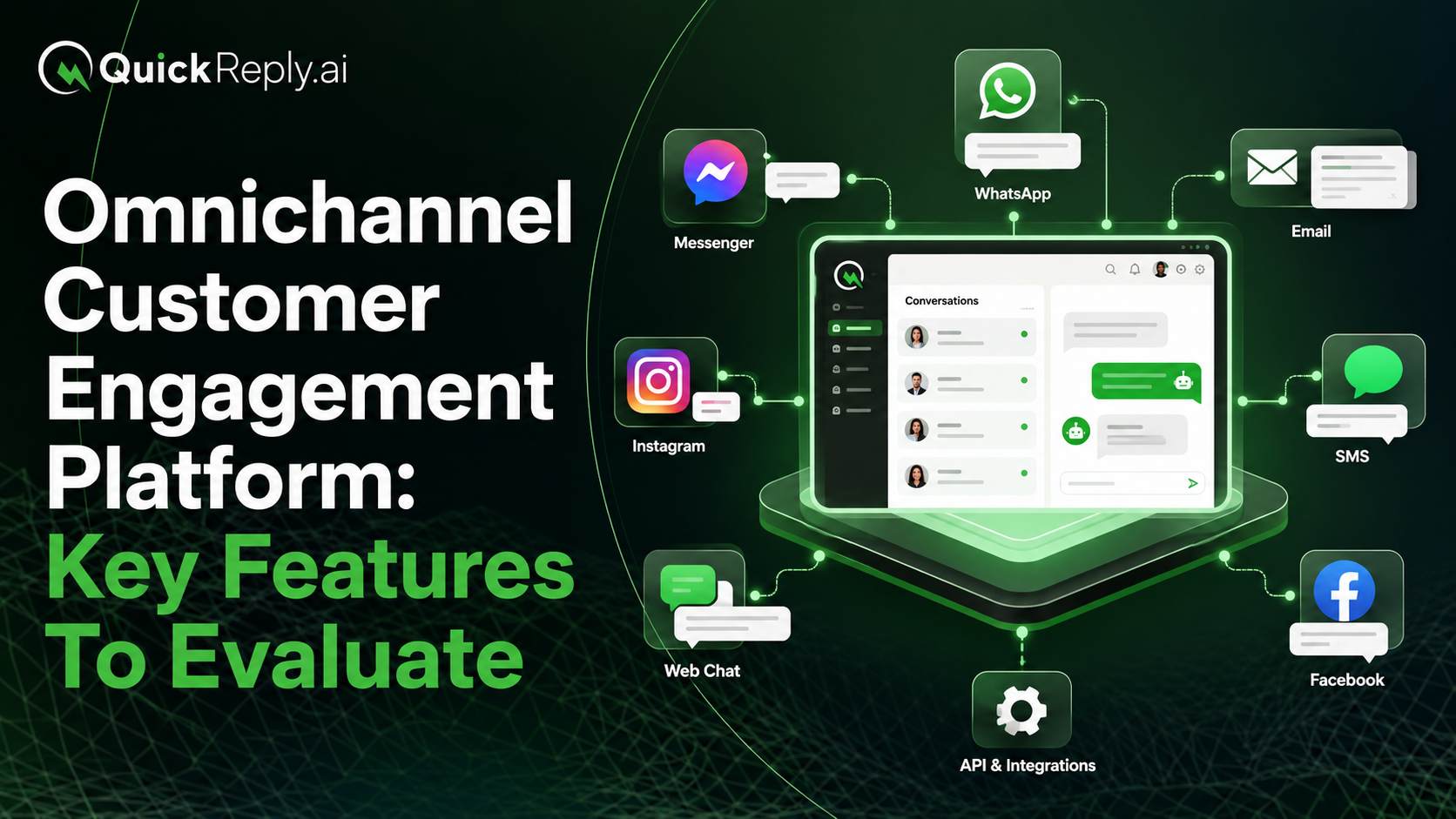
6. Build a Multichannel CRM Messaging Strategy

RCS should operate as part of a coordinated messaging strategy rather than as an isolated channel.

RCS availability and supported features can vary based on the customer’s device, messaging client and network. Businesses can perform capability checks before sending a message and use a predefined alternative when RCS is unavailable.

A multichannel workflow could follow this sequence:

  1. A CRM event triggers a communication.
  2. The platform checks whether the recipient can receive RCS.
  3. A rich RCS message is sent when supported.
  4. Another suitable channel is used when RCS is unavailable.
  5. Delivery and interaction information is recorded.
  6. The journey continues based on the customer’s response.

CRM and Rich Messaging Use Cases

CRM-integrated rich messaging can support customer journeys across multiple industries.

Industry Example Journeys
Retail and Ecommerce Product recommendations, cart recovery, order updates, replenishment reminders and loyalty communication
Automotive Test-drive scheduling, quotation follow-ups, service reminders and insurance or warranty renewals
Real Estate Lead qualification, property recommendations, site visits, payment reminders and possession updates
Education Course recommendations, application reminders, counselling appointments, document updates and fee notifications
Healthcare Appointment confirmations, rescheduling, report notifications, follow-ups and patient support
Financial Services Application updates, document collection, payment reminders, renewals and service journeys

The underlying process remains similar across industries: the CRM identifies a customer event, the platform sends an appropriate message, and the customer’s response determines the next step.

How WhatsApp and RCS Work Together

WhatsApp and RCS can complement each other within the same CRM-led communication strategy.

WhatsApp is well suited for ongoing conversations, customer support and relationship-based communication, especially when customers already prefer using the channel. RCS can extend the same journey through branded and interactive messages delivered within supported native messaging applications.

Businesses can use the two channels together based on factors such as:

  • Customer preference
  • Channel availability
  • Message type
  • Previous engagement
  • Journey stage
  • Delivery performance

For example, a business may initiate communication through WhatsApp and use RCS as a fallback when the WhatsApp message remains undelivered.

The CRM remains the central source of customer information, while the automation platform selects the appropriate channel, manages fallback logic and records customer responses within the same journey.

What to Consider Before Integrating RCS With a CRM

The effectiveness of the integration depends on the quality of the underlying data, workflows and ownership.

Before implementation, businesses should define:

  • Which CRM events should trigger messages
  • Which customer fields are required for personalisation
  • What data can be used safely
  • How consent and opt-outs will be managed
  • Which responses should update CRM fields
  • How duplicate or outdated records will be handled
  • When automation should transfer a conversation to an agent
  • What fallback channel should be used when RCS is unavailable
  • Which team owns each workflow
  • How delivery, engagement and conversions will be measured

Businesses should also avoid automating every possible interaction. Automation works best for repetitive and predictable journey stages. Sensitive, unusual or complex conversations should always provide a clear route to human assistance.

Testing is equally important. Teams should test triggers, CRM field mappings, message content, capability checks, fallback behaviour and webhook updates before deploying a journey at scale.

Turn CRM Data Into Connected Customer Journeys

A CRM tells a business who the customer is, what they have done and where they are in their journey. Automated rich messaging gives the business a practical way to act on that information.

The right integration can turn isolated CRM updates into personalised conversations, qualification flows, service journeys and coordinated follow-ups across multiple channels.

QuickReply.ai helps businesses connect CRM data with RCS and other customer communication channels to automate marketing, sales and support journeys. Its RCS capabilities allow businesses to send branded, interactive messages, manage two-way responses and track customer actions, while its omnichannel platform helps teams organise conversations, route enquiries and maintain context across channels.

By combining CRM intelligence with journey automation and a shared customer communication layer, businesses can reduce manual follow-ups, improve team coordination and provide more consistent customer experiences.

Turn 1 time visitor into repeat customer with WhatsApp marketing

Leverage the untapped growth potential of WhatsApp marketing to acquire and retain customers.

Frequently Asked Questions

What is CRM-integrated rich messaging?

CRM-integrated rich messaging connects a customer relationship management system with channels such as RCS. CRM information and events can trigger automated messages, while customer responses can update records and continue workflows.

How can a CRM trigger automated RCS messages?

An RCS message can be triggered when a defined event occurs in the CRM. Examples include creating a lead, changing a sales stage, booking an appointment, sharing a quotation, dispatching an order or approaching a renewal date.

What CRM data can be used to personalize messages?

Businesses can use information such as customer name, location, purchase history, product interest, lead stage, appointment status, renewal date and assigned representative, subject to applicable consent and data-use requirements.

Can customer responses from RCS be recorded in the CRM?

Yes. Replies, button selections, appointment confirmations, preferences and other customer actions can be returned through webhooks and used to update CRM fields or initiate follow-up workflows.

How does CRM-integrated messaging improve lead management?

It can collect qualification information, update lead records, improve scoring and route prospects to the most appropriate salesperson or team. This helps sales teams prioritise leads and conduct more informed conversations.

Can RCS and WhatsApp be used within the same CRM strategy?

Yes. Businesses can use RCS when it is supported and select WhatsApp or another channel based on customer preference, channel availability and the purpose of the communication.

What happens when a customer cannot receive RCS?

The messaging platform can perform a capability check before sending the communication. If RCS is unavailable, the workflow can use a predefined fallback channel such as SMS.

Can automated conversations be transferred to human agents?

Yes. Businesses can define conditions for transferring a conversation to an agent. The agent should receive the customer record and previous conversation context so the interaction can continue without restarting.