How to Integrate Generative AI Into Existing Customer Service Software

Copied to clipboard!

Most businesses already use customer service software. They may have a CRM like Salesforce or Zoho, a helpdesk like Zendesk or Freshdesk, a live chat tool like Intercom, a WhatsApp support inbox, an email ticketing system, or a custom internal support platform.

The problem is not the absence of software. The problem is that support teams still spend too much time on repetitive questions, ticket routing, customer history checks, manual summaries, and searching through knowledge base articles.

This is where generative AI can help.

But the best way to use generative AI in customer service is not to replace your existing support stack overnight. A better approach is to add GenAI as an intelligence layer on top of your current software.

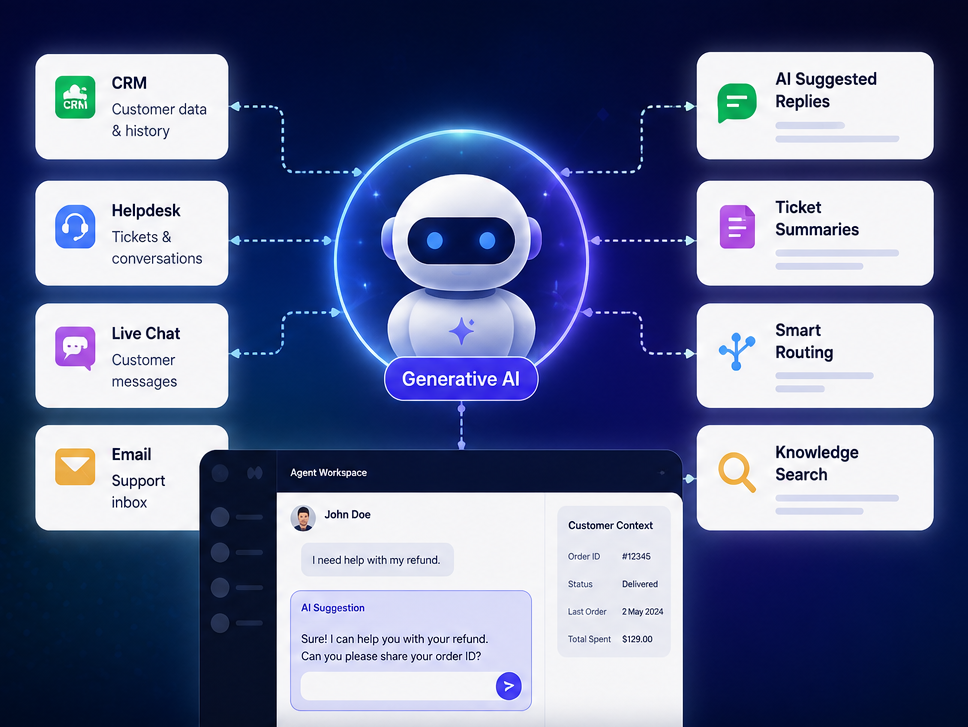
When integrated properly, generative AI can help agents reply faster, summarize conversations, retrieve the right knowledge, classify tickets, automate repetitive workflows, and support customers across channels.

This blog explains how to integrate generative AI into existing customer service software in a practical and safe way.

What Does It Mean to Integrate Generative AI Into Customer Service Software?

Integrate Gen AI into Customer Service Software

Integrating generative AI into customer service software means connecting AI intelligence with the tools, data, and workflows your support team already uses.

It can work inside or alongside systems such as:

  • CRM software
  • Helpdesk platforms
  • Live chat tools
  • Email support tools
  • WhatsApp support inboxes
  • Call center platforms
  • Knowledge base software
  • Order management systems
  • Billing and subscription platforms
  • Internal business systems

Generative AI can be used in different ways across customer service.

It can work as:

  • A customer-facing chatbot
  • An agent copilot
  • A ticket summarization assistant
  • A knowledge search tool
  • An intent classification engine
  • A sentiment detection layer
  • A workflow automation system
  • A CRM update assistant
  • A reporting and insights tool

Traditional chatbots usually depend on fixed decision trees and predefined answers. Generative AI is different. It can understand natural language, generate contextual replies, summarize long conversations, retrieve relevant information, and assist agents in real time.

However, GenAI becomes truly useful only when it is connected with real business context. That includes customer data, ticket history, company policies, product information, order status, refund rules, and escalation workflows.

Why Add GenAI to Existing Customer Service Tools

Mostly, customer service teams are under pressure to provide quick resolutions to queries and requests raised by customers. They work on multiple systems to resolve even simple queries.

For example, a customer asked for a refund on the chatbot, then a support agent may need to:

  • Read the customer’s message
  • Check past conversations
  • Search the help center
  • Open the CRM
  • Check order status
  • Review refund policy
  • Draft a response
  • Add tags
  • Update ticket status
  • Escalate if needed

Generative AI can reduce this manual effort.

Businesses are integrating GenAI into customer service software to:

  • Reduce repetitive tickets
  • Improve first response time
  • Help agents resolve issues faster
  • Improve self-service support
  • Summarize long conversations
  • Suggest better replies
  • Make the knowledge base search easier
  • Personalize customer communication
  • Improve ticket routing
  • Reduce average handling time
  • Lower cost per ticket
  • Improve customer satisfaction

The key point is this: generative AI should not be viewed solely as a chatbot. It should be seen as a productivity and automation layer across the entire customer service operation.

Customer Service Software Where GenAI Can Be Integrated

Generative AI can be integrated with many types of customer service systems.

Common examples include:

  • Salesforce Service Cloud
  • Zendesk
  • Zoho Desk and Zoho CRM
  • Freshdesk and Freshworks
  • Intercom
  • HubSpot Service Hub
  • WhatsApp support inboxes
  • Website live chat platforms
  • Email ticketing tools
  • Call center software
  • Custom CRM or internal support tools
  • Instagram and Messenger Chatbots
  • RCS Automations

Most companies do not need to remove these systems. In most cases, they need to make these systems smarter.

For example, if a company already uses Zendesk, GenAI can help summarize tickets, suggest replies, recommend help articles, and escalate unresolved conversations to agents.

If a company uses Salesforce, GenAI can work with customer records, case history, service workflows, and CRM data.

If a company uses Zoho Desk, AI can help agents understand ticket sentiment, summarize conversations, and identify key topics.

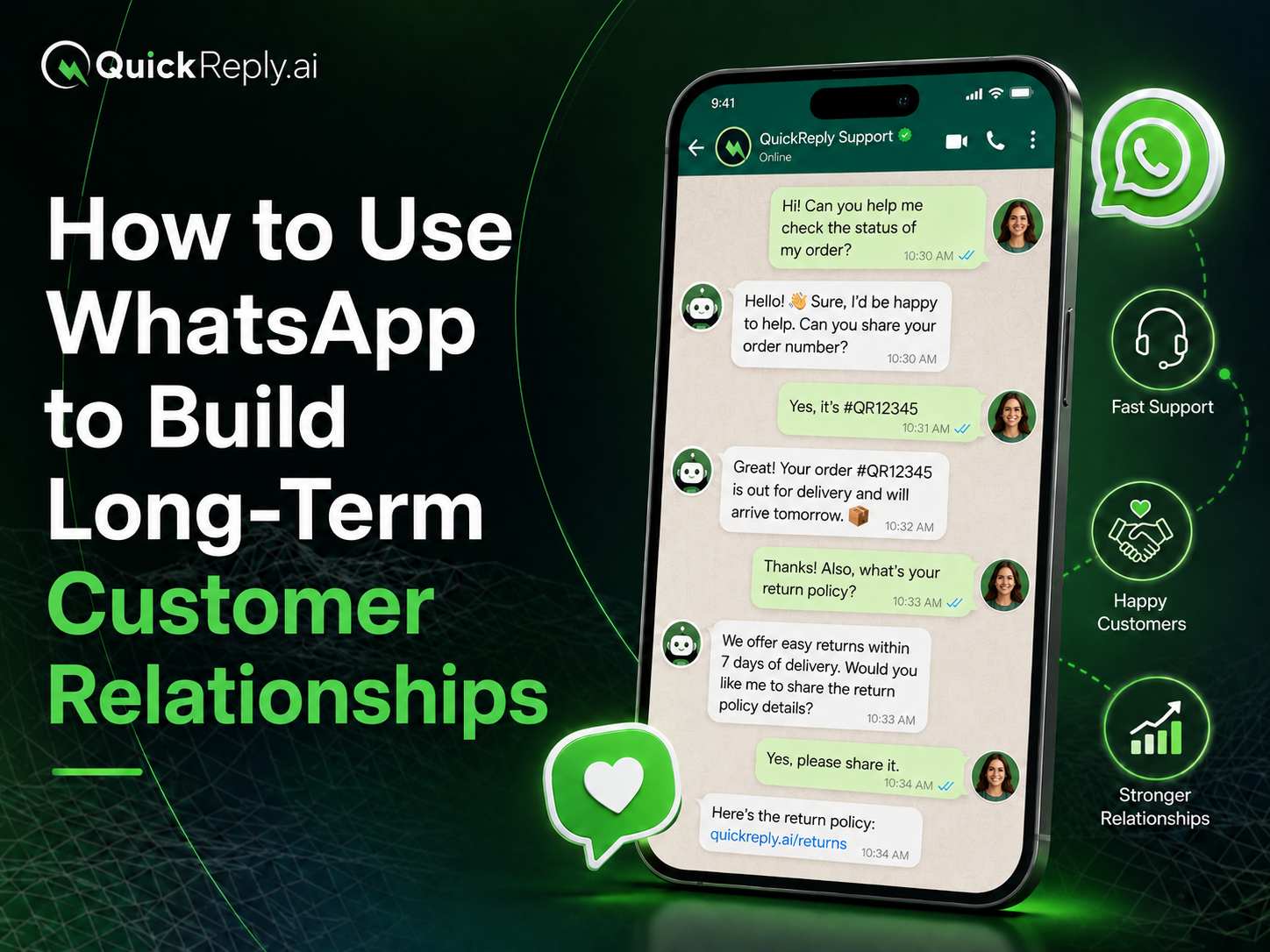
If a company provides WhatsApp support, GenAI can answer FAQs, collect customer details, check order status, and hand over complex issues to human agents.

Three Main Ways to Integrate GenAI Into Existing Customer Service Software

There are three common ways to integrate generative AI into customer service software.

1. Use Native AI Features Inside Your CRM or Helpdesk

Many CRM and helpdesk platforms now offer built-in AI capabilities.

This is the easiest starting point for companies already using platforms such as Salesforce, Zendesk, Zoho, Freshdesk, or Intercom.

Common native AI features include:

  • AI-generated ticket summaries
  • Agent reply suggestions
  • Knowledge article recommendations
  • Intent detection
  • Ticket classification
  • Auto-routing
  • Sentiment analysis
  • AI-powered search
  • Customer context summaries

This approach is best for teams that want faster implementation and do not need heavy customization.

The limitation is that native AI is usually restricted to the capabilities and data access of that platform.

2. Connect a Third-Party AI Chatbot or AI Agent

A third-party AI chatbot or AI agent can be connected with your existing CRM, helpdesk, website chat, WhatsApp inbox, or email support system.

This approach is useful when a business wants more flexibility than native AI offers.

Common use cases include:

  • FAQ automation
  • Customer-facing chatbot
  • WhatsApp automation
  • Order status replies
  • Return and refund assistance
  • Human handoff
  • CRM updates
  • Ticket creation
  • Support workflow automation

This model works well for businesses that want AI across multiple channels, especially if customer conversations happen on website chat, WhatsApp, email, and social channels.

The limitation is that integration planning becomes more important. The AI must be connected properly with the helpdesk, customer records, knowledge base, and backend systems.

3. Build a Custom GenAI Layer Using APIs

Some businesses have unique workflows that cannot be fully handled by native AI or standard chatbot tools.

In such cases, they can build a custom GenAI layer using APIs from large language model providers and connect it with internal systems.

This approach is best for companies with:

  • Complex customer service workflows
  • Proprietary internal systems
  • Strong engineering teams
  • Strict compliance requirements
  • Custom business logic
  • Advanced automation needs

A custom AI layer can be designed to connect with CRM, order management, billing, inventory, internal dashboards, and support tools.

The limitation is that it requires more development, testing, governance, monitoring, and maintenance.

Native AI vs Third-Party AI vs Custom GenAI Integration

Integration Type Best For Advantages Limitations
Native CRM/helpdesk AI Teams already using Salesforce, Zendesk, Zoho, Freshdesk, etc. Faster setup, lower technical effort Limited flexibility
Third-party AI chatbot Teams needing omnichannel automation More flexible, works across channels Needs integration planning
Custom GenAI layer Complex workflows and internal systems Full control and customization Requires engineering effort
Hybrid model Mature support teams Combines speed and flexibility Needs strong governance

For many companies, the best approach is hybrid.

They can start with native AI for agent assistance and add third-party or custom AI for customer-facing automation later.

Step 1: Audit Your Existing Customer Service Workflow

Before adding generative AI, understand your current support workflow.

Look at where your team spends the most time.

Analyze:

  • Top ticket categories
  • Repetitive customer questions
  • High-volume support channels
  • Average handling time
  • First response time
  • Escalation reasons
  • Agent workload
  • Knowledge base gaps
  • Manual CRM updates
  • Delayed response points
  • Repeated follow-ups
  • Common unresolved issues

The best use cases for GenAI usually come from the top 10–20 ticket categories that create the highest support volume.

For example:

  • “Where is my order?”
  • “How do I reset my password?”
  • “What is your refund policy?”
  • “Can I change my shipping address?”
  • “How do I cancel my subscription?”
  • “Is this product available?”
  • “How do I book an appointment?”
  • “Can I speak to a support agent?”

These are repetitive, high-volume, and usually safe to automate if the AI has access to the right data.

Step 2: Choose the Right Use Cases for GenAI

Do not start by automating everything.

Start with use cases that are repetitive, low-risk, and easy to measure.

Customer-Facing Use Cases

Generative AI can directly assist customers with:

  • FAQ responses
  • Order status inquiries
  • Return and refund questions
  • Product information
  • Appointment booking
  • Basic troubleshooting
  • Policy-related queries
  • Delivery updates
  • Subscription questions
  • Account-related guidance

These use cases reduce support volume and give customers faster answers.

Agent-Facing Use Cases

GenAI can also assist human agents without directly responding to customers.

Examples include:

  • Ticket summaries
  • Reply drafting
  • Knowledge article suggestions
  • Sentiment detection
  • Customer history summaries
  • Next-best-action suggestions
  • Translation
  • Tone improvement
  • Case notes
  • Internal answer recommendations

This is often the safest starting point because the AI supports the agent, but the human still controls the final response.

Operations Use Cases

Generative AI can also improve support operations.

Examples include:

  • Ticket tagging
  • Intent classification
  • Auto-routing
  • CRM field updates
  • Call summary logging
  • Complaint analysis
  • Knowledge base gap detection
  • Escalation recommendations
  • Quality monitoring
  • Trend analysis

These use cases help support managers improve team productivity and service quality.

Step 3: Connect Your Knowledge Base

Generative AI performs best when it is grounded in approved company knowledge.

The AI should not answer only from general internet-like knowledge. It should use your business-specific information.

Connect sources such as:

  • Help center articles
  • FAQs
  • SOPs
  • Product documentation
  • Internal support guides
  • Return and refund policies
  • Shipping policies
  • Pricing documents
  • Past resolved tickets
  • Call transcripts
  • Chat history
  • Troubleshooting manuals

This is where Retrieval-Augmented Generation, or RAG, becomes useful.

In simple terms, RAG allows the AI to search your approved company knowledge before generating an answer.

Instead of guessing, the AI first retrieves the most relevant policy, article, or internal document. Then it generates a response based on that information.

This reduces the risk of incorrect answers and makes AI responses more reliable.

For example, if a customer asks, “Can I return this product after 20 days?”, the AI should check your return policy before replying.

If the return policy says returns are allowed only within 15 days, the AI should not invent a different answer.

Step 4: Integrate GenAI With Your CRM or Helpdesk

Once the knowledge base is connected, integrate the AI with your customer service platform.

The AI should be able to work with systems such as CRM, helpdesk, support inbox, live chat, or ticketing tools.

Common integration points include:

  • Reading customer tickets
  • Summarizing conversations
  • Suggesting replies
  • Pulling customer history
  • Identifying customer intent
  • Recommending knowledge articles
  • Updating CRM fields
  • Adding ticket tags
  • Routing tickets
  • Escalating to agents
  • Creating internal notes

For example, when a customer writes a long complaint, GenAI can summarize the issue for the agent. It can identify the customer’s sentiment, detect the likely category, suggest the correct policy, and draft a response.

The agent can then review and send the final message.

This reduces handling time and improves response consistency.

Step 5: Connect GenAI With Business Systems

GenAI becomes more powerful when it can access business systems.

A chatbot that only answers FAQs is useful. But an AI assistant that can check order status, verify payment, create a refund request, or schedule an appointment is much more valuable.

Common systems to connect include:

  • Order management system
  • Ecommerce platform
  • Billing software
  • Subscription platform
  • Inventory system
  • ERP
  • Appointment booking system
  • Payment system
  • Delivery or logistics system
  • CRM
  • Loyalty system

Examples of business-system actions include:

  • Checking order status
  • Sharing delivery updates
  • Creating refund requests
  • Updating shipping addresses
  • Checking subscription status
  • Pulling invoice details
  • Scheduling appointments
  • Opening service tickets
  • Checking product availability
  • Updating customer records

However, the AI should not perform sensitive actions without controls.

For example, it may be safe for AI to check order status automatically. But issuing refunds, changing account details, or processing financial requests may need human approval.

The key rule is simple: the AI should call approved APIs and follow predefined business rules. It should not invent answers about orders, refunds, billing, or account status.

Step 6: Define Human Escalation Rules

A good GenAI integration should not block customers from reaching human support.

There should always be a clear escalation path.

One practical model is confidence-based routing:

High confidence → AI resolves the query
Medium confidence → AI drafts a response for the agent
Low confidence → Human agent handles the case

Immediate escalation should be used for:

  • Angry or frustrated customers
  • Refund disputes
  • Legal issues
  • Medical or financial queries
  • Account security issues
  • High-value customers
  • Repeated failed answers
  • Sensitive personal data requests
  • Complex troubleshooting
  • Cases where the AI is unsure

Human escalation protects customer experience and reduces risk.

The goal of GenAI is not to remove humans from customer service. The goal is to let humans focus on cases where empathy, judgment, and decision-making matter most.

Step 7: Add Guardrails and Governance

Generative AI needs strong guardrails before it is used in customer-facing workflows.

Important guardrails include:

  • Approved knowledge sources
  • Restricted actions
  • Human approval for sensitive workflows
  • PII protection
  • Audit logs
  • Role-based access
  • Prompt injection protection
  • Response length control
  • Brand tone guidelines
  • Hallucination checks
  • Fallback rules
  • Compliance review

For example, the AI may be allowed to answer basic policy questions. But it should not change account ownership, approve a large refund, or provide legal or medical advice without human review.

Similarly, AI should not expose internal notes, private customer data, or system instructions to the customer.

Good governance ensures that AI improves support efficiency without creating operational, legal, or customer experience risks.

Step 8: Test Before Full Launch

Do not launch GenAI directly across all customer conversations.

Test it first.

Testing should cover:

  • Accuracy
  • Tone
  • Relevance
  • Escalation behavior
  • Hallucinations
  • API failures
  • Edge cases
  • Multilingual queries
  • Sensitive data handling
  • Customer frustration signals
  • Wrong intent detection
  • Incomplete customer data
  • Policy conflicts

A good testing model is:

  1. Test internally with support agents.
  2. Use AI for agent assistance only.
  3. Launch customer-facing AI for limited use cases.
  4. Monitor failed conversations.
  5. Expand gradually.

For example, start with FAQ automation or ticket summarization. Once accuracy improves, allow AI to handle order status queries. Later, connect it with refund workflows, billing queries, or account updates with proper approval rules.

Step 9: Launch in Phases

A phased launch is safer than a big-bang implementation.

Phase 1: Agent Assistance

Start with features that help agents but do not directly respond to customers.

Examples:

  • Knowledge search
  • Ticket summaries
  • Agent reply drafting
  • Sentiment detection
  • Conversation translation
  • Customer history summaries

This improves productivity while keeping humans in control.

Phase 2: Customer-Facing Automation

Next, add AI to handle selected customer queries.

Examples:

  • AI chatbot
  • FAQ automation
  • Order status support
  • Basic troubleshooting
  • Policy questions
  • Human handoff
  • CRM/helpdesk integration

This helps reduce ticket volume and improve response speed.

Phase 3: Workflow Automation

Once AI is reliable, expand into more advanced workflows.

Examples:

  • Refund request creation
  • Billing queries
  • Appointment scheduling
  • CRM updates
  • Order management actions
  • Subscription support
  • Omnichannel support
  • Advanced analytics

At this stage, AI is no longer just answering questions. It is helping execute support workflows.

Step 10: Measure Performance and Improve Continuously

GenAI integration is not a one-time project. It needs continuous monitoring and improvement.

Track both efficiency and customer experience.

Important metrics include:

  • First response time
  • Average handling time
  • First-contact resolution
  • AI containment rate
  • Escalation rate
  • Customer satisfaction
  • Cost per ticket
  • Agent productivity
  • Ticket backlog
  • AI answer accuracy
  • Human correction rate
  • Repeat contact rate
  • Resolution quality
  • Knowledge base gaps

Do not judge AI only by ticket deflection.

A chatbot that deflects tickets but frustrates customers is not successful.

A better measure is whether AI helps customers get correct answers faster while reducing unnecessary agent workload.

Review failed AI conversations regularly. Identify where the AI misunderstood the query, lacked knowledge, used the wrong tone, or escalated too late.

Then improve your knowledge base, prompts, workflows, and guardrails.

Common Mistakes to Avoid

Many GenAI customer service projects fail because they start with automation before readiness.

Avoid these mistakes:

  • Replacing human agents too early
  • Launching AI without clean knowledge base content
  • Giving AI access to sensitive actions without approval
  • Using GenAI without CRM/helpdesk integration
  • Measuring only automation rate
  • Ignoring agent feedback
  • Not monitoring hallucinations
  • Not having a human escalation path
  • Skipping compliance review
  • Treating GenAI as a one-time setup
  • Letting AI answer from outdated policies
  • Not testing multilingual or edge-case queries
  • Failing to connect AI with customer data

The biggest mistake is treating GenAI as a standalone chatbot.

The real value comes when AI is connected with knowledge, customer data, support workflows, and human agents.

Build Smarter Customer Support With QuickReply.ai GenAI Chatbots 

Generative AI should not be added as a disconnected chatbot. It should be integrated into the systems your support team already uses CRM, helpdesk, knowledge base, support inbox, order management, billing, and internal workflows.

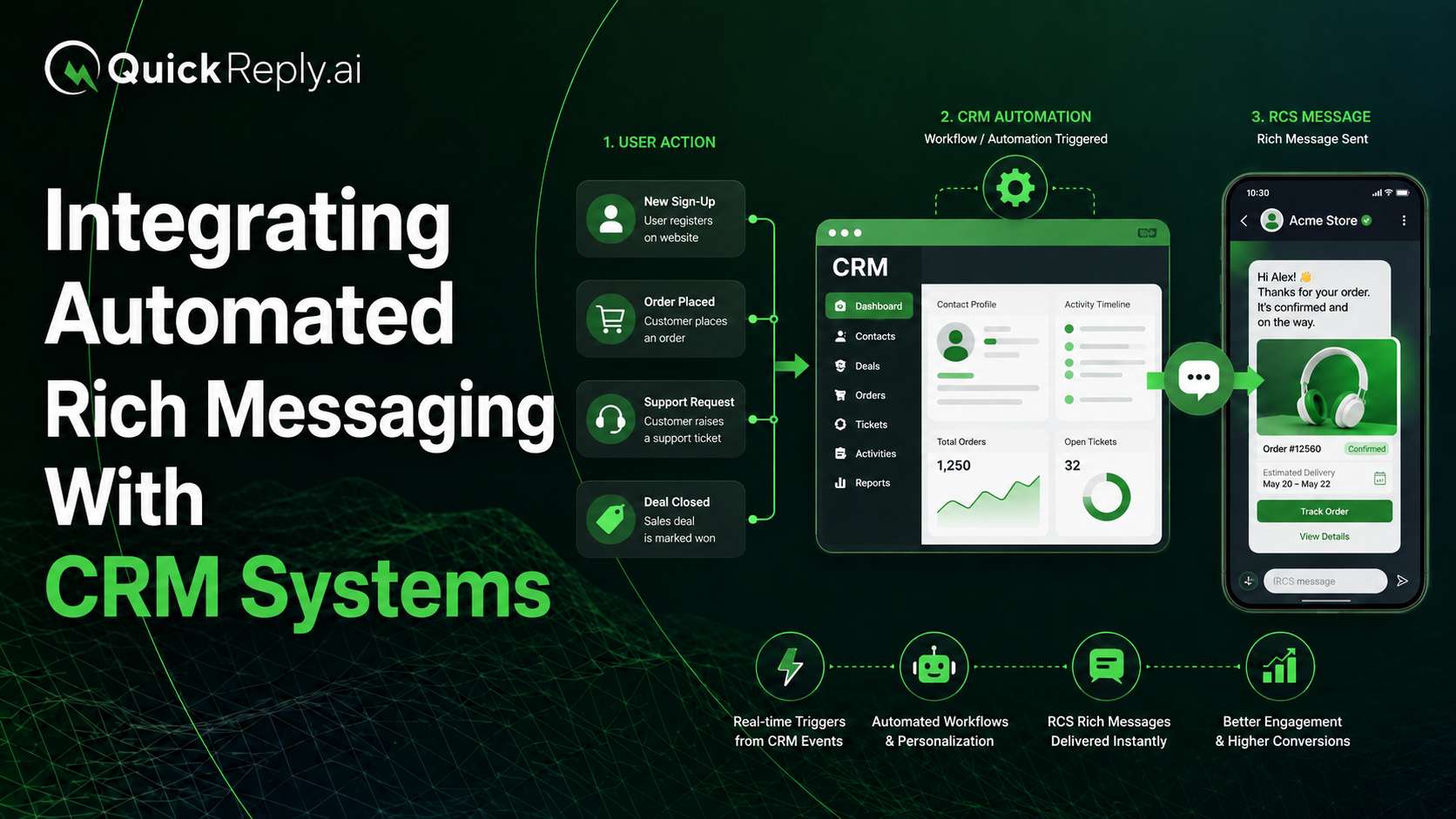
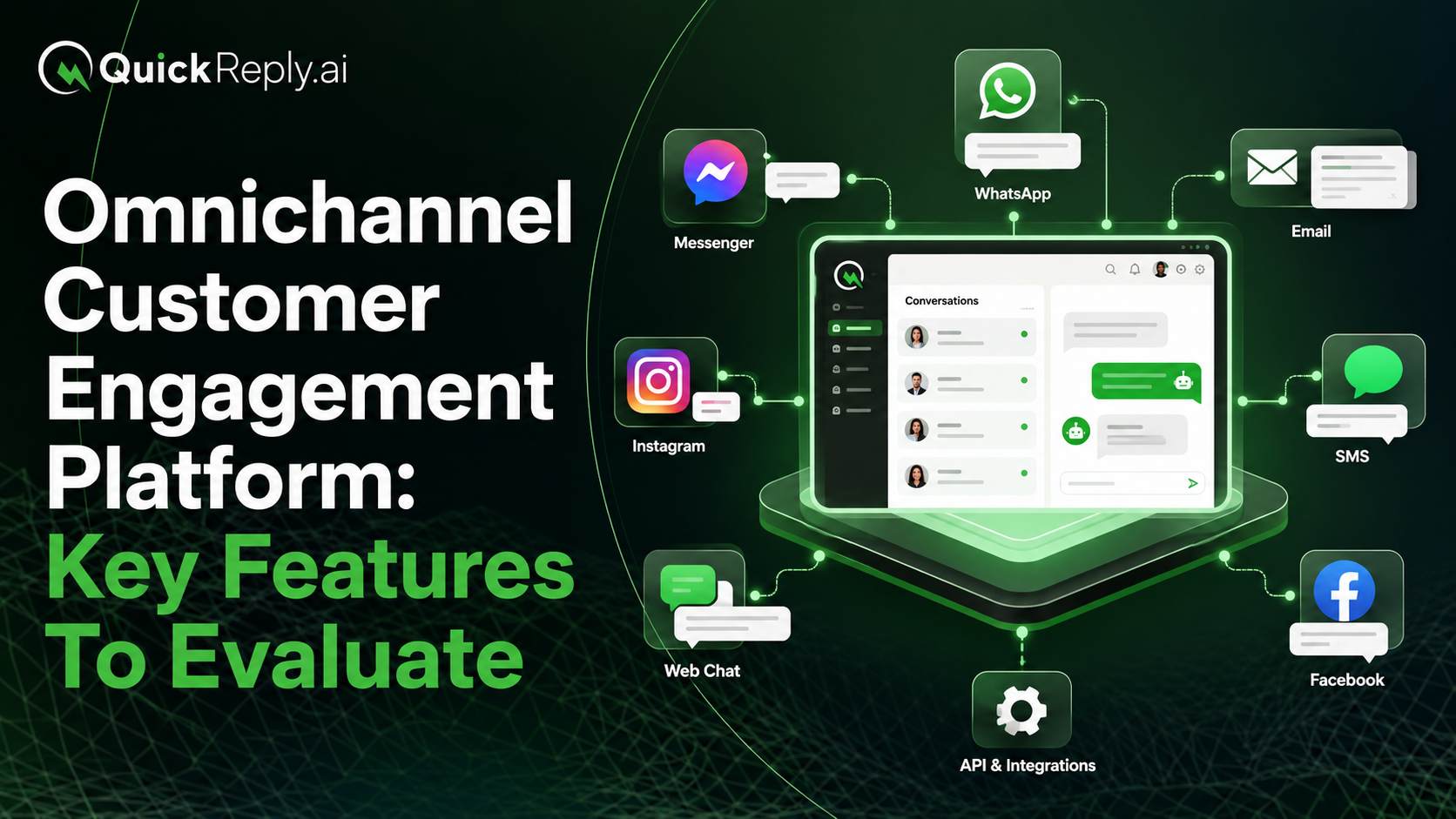
For businesses that want to bring GenAI into their customer communication stack without rebuilding everything from scratch, QuickReply.ai offers a practical way to do this. With QuickReply.ai’s GenAI and click-based chatbots, brands can automate conversations across WhatsApp, website chat, Instagram, Messenger, and RCS. The chatbot can answer common questions, support product discovery, qualify leads, recover carts, collect customer details, book appointments, and route complex conversations to human agents with full context.

This makes QuickReply.ai useful for teams that want GenAI to work alongside their existing customer service software instead of replacing it. Whether a business already uses a CRM, helpdesk, support inbox, or internal system, QuickReply.ai can act as the conversational automation layer that connects customer queries with the right response, workflow, or agent.

Turn 1 time visitor into repeat customer with WhatsApp marketing

Leverage the untapped growth potential of WhatsApp marketing to acquire and retain customers.

Frequently Asked Questions

What is the best way to integrate GenAI into customer service software?

The best way is to start with existing workflows. Add GenAI to help agents summarize tickets, draft replies, search knowledge, and classify queries before moving into full customer-facing automation.

Can GenAI work with Salesforce, Zendesk, Zoho, and Freshdesk?

Yes. GenAI can work with these platforms through native AI features, third-party integrations, or custom API-based layers depending on the platform and business requirements.

Should I replace my existing CRM or helpdesk with an AI tool?

In most cases, no.

It is better to add AI on top of your existing CRM or helpdesk so your team can keep using familiar workflows while improving speed and efficiency.

How do I prevent GenAI from giving wrong answers?

Use approved knowledge sources, retrieval-based answers, restricted actions, human approval for sensitive cases, audit logs, escalation rules, and regular monitoring.

What metrics should I track after GenAI integration?

Track first response time, average handling time, first-contact resolution, AI containment rate, escalation rate, customer satisfaction, cost per ticket, and AI answer accuracy.

Is GenAI useful only for chatbots?

No. GenAI can also help with ticket summaries, agent assistance, CRM updates, intent classification, sentiment detection, knowledge search, reporting, and workflow automation.

Do I need a technical team to integrate GenAI?

Not always. Native AI features inside CRM and helpdesk platforms may require less technical effort. Third-party and custom integrations usually need more planning and development support.