Compare Pricing of Leading Omnichannel Automation Software Providers

Copied to clipboard!

Comparing omnichannel messaging automation software is not always straightforward.

Every platform structures pricing differently. Some charge based on contacts or customer profiles. Some charge based on message volume. Some follow pay-as-you-go pricing, while others use custom enterprise plans. 

On top of that, channels like WhatsApp, SMS, RCS, email, Instagram, Messenger, and website chat have separate charges based on the message category, region, and telecom provider.       

That is why it’s important to compare the pricing and features of Omnichannel messaging software before shortlisting one for your business use. 

In this blog, we have compared popular Omnichannel messaging automation tools like QuickReply.ai, MoEngage, Gupshup, Klaviyo, Twilio, Customer.io, and Infobip. The comparison is not limited to their monthly subscription fee and top features. In fact, we tried to find relevant answer of these four practical questions that every buyer looks for:

  • How does the platform charge?
  • Which channels are included or supported?
  • What features are available at each pricing level?
  • What additional costs should a business consider?

We tried to compare leading omnichannel messaging automation software providers from a pricing, feature, channel, and use-case perspective. 

Our goal is to help businesses understand which platform fits their communication needs, whether they want to run marketing campaigns, automate support, qualify leads, send reminders, manage appointments, trigger order updates, or build customer journeys across multiple messaging channels. So stick with this blog till the end, or have an overview if you are in a hurry.

Please Note: The right platform is not always the one with the lowest visible price. It is the one whose pricing model, features, integrations, and channel support match the way your business communicates with customers. 
You may not need an expensive platform with 100+ features and integration, but a simple platform adjustable to your needs and within your budget.

Quick Comparison: Pricing, Relevance, and Best-Fit Customers

Some tools are built for marketing teams. Some are stronger for developer-led messaging infrastructure. Some are better suited for enterprise customer engagement, while others are more useful for SMBs and growing businesses that want ready-to-use automation.

Here is a quick comparison of the 7 platforms we covered in this blog:

Provider Pricing Why This Tool Is Relevant Ideal For Possible Add-ons or Extra Costs
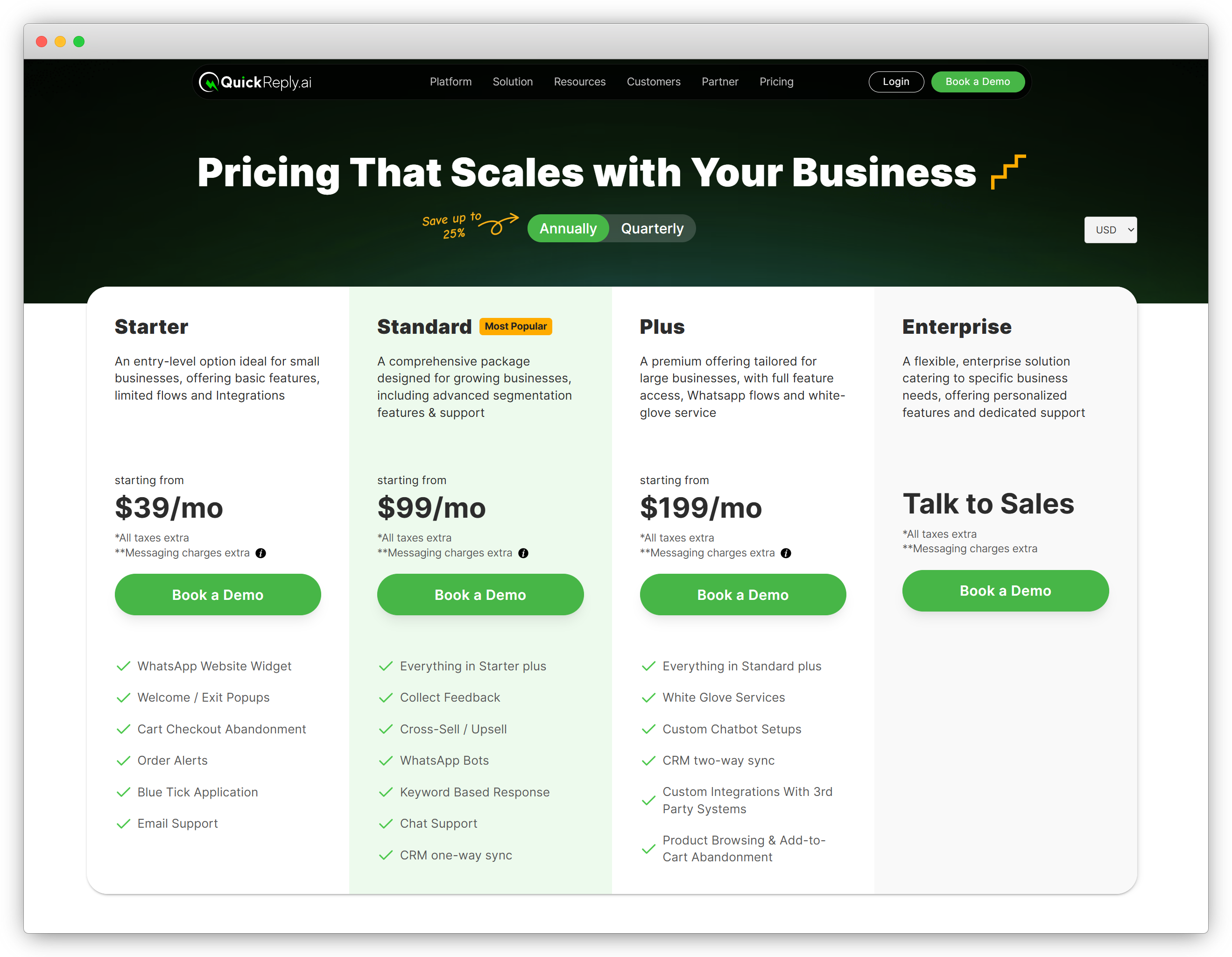
QuickReply.ai Starts from $39/month. Higher plans include Standard, Plus, and Enterprise. Messaging charges are extra. Useful for businesses that want messaging-led automation across WhatsApp, RCS, Instagram, Messenger, website chatbot, and SMS. It combines campaigns, chatbots, inbox, automations, user journeys, and integrations with enterprise tools in one platform. eCommerce stores, retail outlets, real estate businesses, clinics, hospitals, edtech companies, banks and fintech firms, salons, SMBs, quick commerce brands, logistics platforms, and service businesses that want customer communication automation without building everything from scratch. WhatsApp message rates based on category and region, SMS/RCS charges as per location and telecom provider, extra agents and custom chatbot setup. CRM sync, Salesforce or third-party integrations, white-glove services, and custom workflows in the Plus plan.
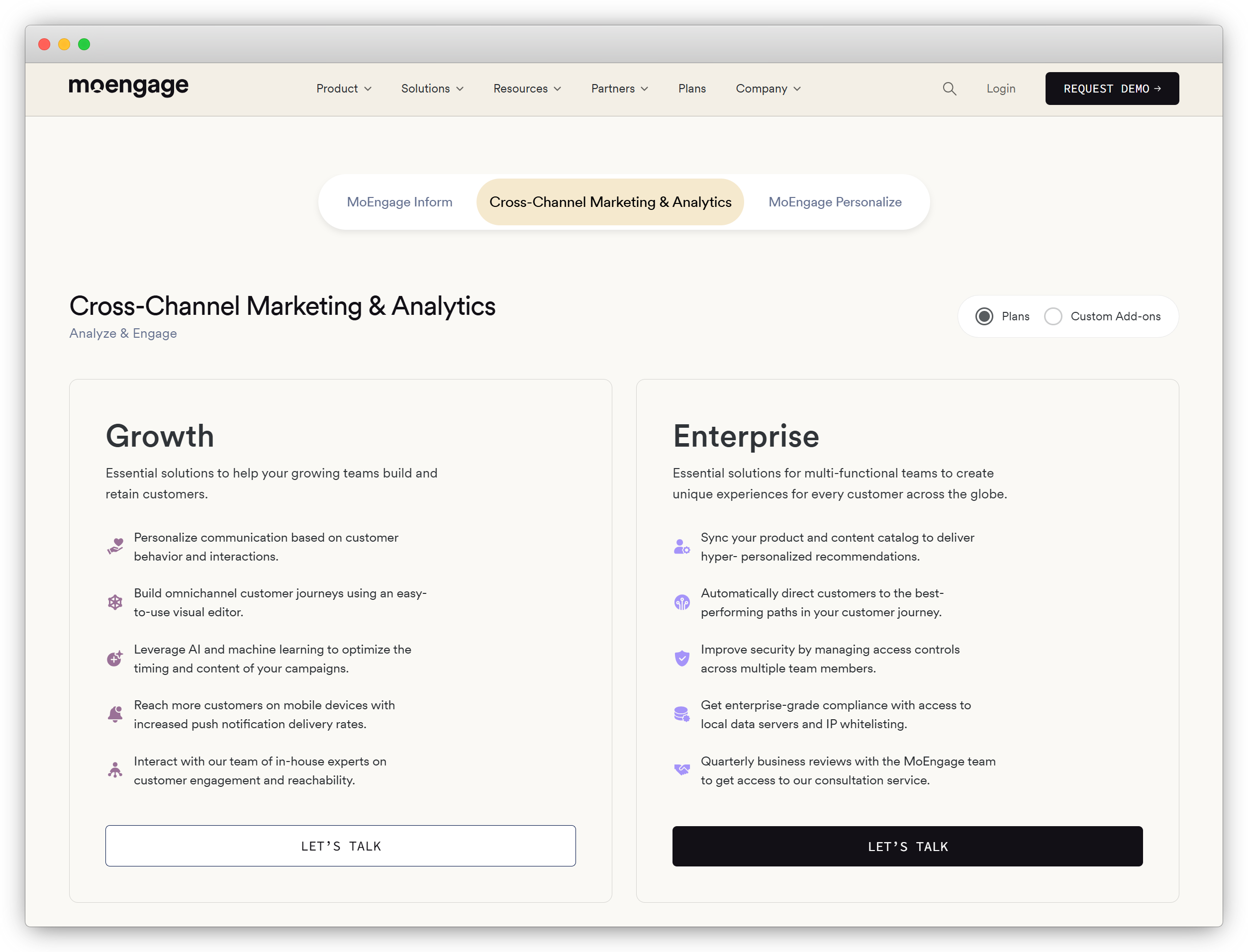
MoEngage Custom pricing. Growth and Enterprise plans are available through sales consultation. Relevant for large B2C brands that need advanced customer engagement, personalization, segmentation, analytics, and cross-channel journeys. Enterprises, app-first businesses, consumer internet companies, BFSI, retail, telecom, media, travel, and large digital brands with high customer volume. Not price-friendly for SMEs and startups. Advanced AI decisioning, web personalization, premium support, implementation services, local data servers, IP whitelisting, catalog sync, and enterprise security features.
Gupshup Usage-led or pay-as-you-go pricing. Pricing depends on channel, country, message type, and usage volume. Relevant for businesses that need conversational messaging infrastructure, WhatsApp API access, bots, and multi-channel messaging at scale. Enterprises, BFSI, fintech, logistics, marketplaces, support-heavy businesses, and companies with technical teams that need messaging APIs. WhatsApp fees, Gupshup platform or per-message fees, wallet top-ups, media message charges, chatbot development, API usage, implementation, support, and enterprise account setup.
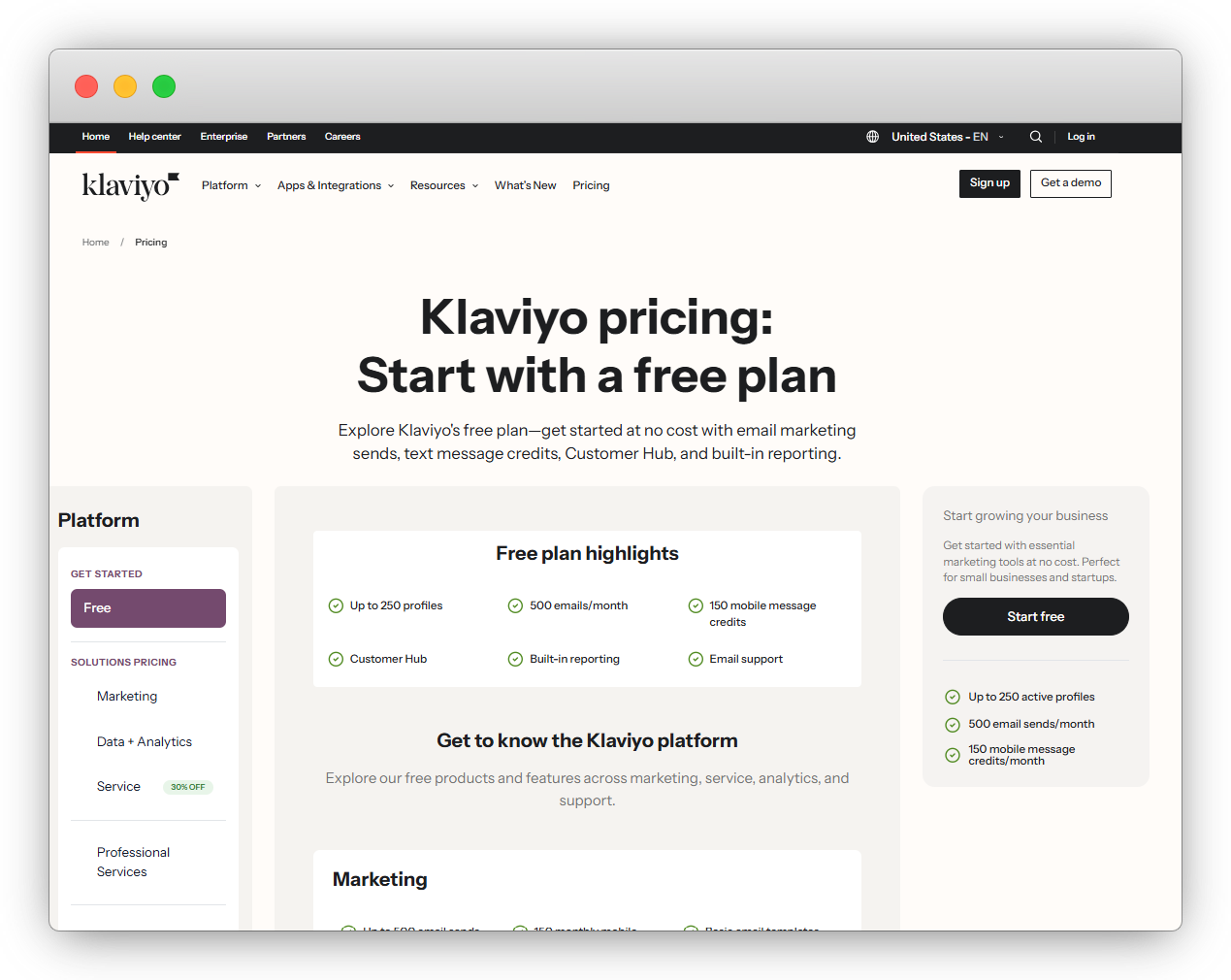
Klaviyo Free plan available up to 250 profiles and 500 emails/month limits. Paid pricing scales with profiles and channel usage. Paid plans are a bit costly for SMBs. Relevant for brands that want email, SMS, customer profiles, segmentation, and lifecycle marketing in one platform. Go-to tool for retention-led marketing. eCommerce brands, retail brands, subscription businesses, and marketing teams focused on email, SMS, forms, segmentation, and repeat purchase campaigns. SMS/MMS credits, higher profile limits, higher email volume, advanced support, reviews, CDP features, WhatsApp or other channel-specific costs where applicable.
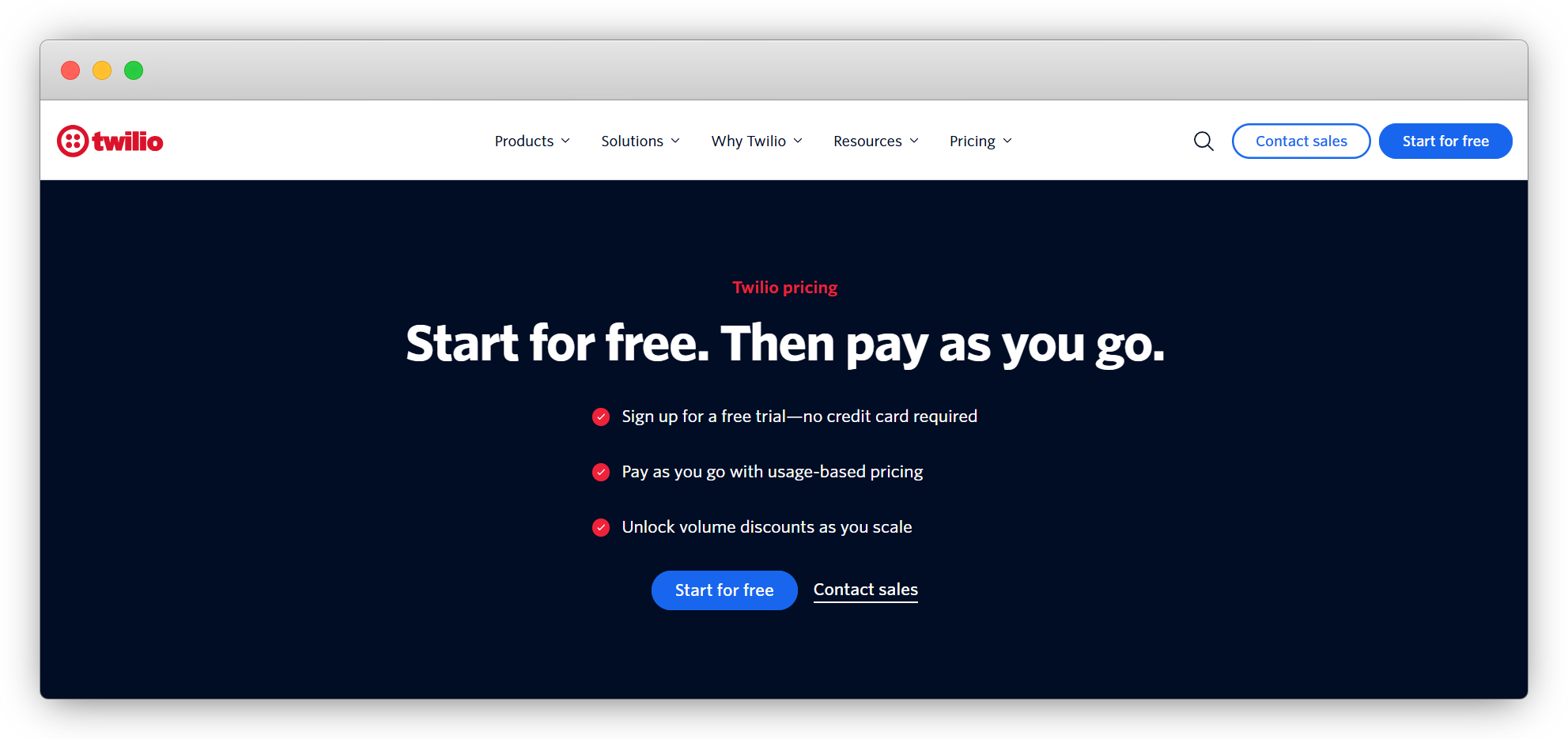
Twilio Pay-as-you-go. SMS, WhatsApp, RCS, Conversations API, SendGrid, Voice, and other products are priced separately. Relevant for businesses that want flexible communication APIs and have developers to build custom messaging workflows. Not friendly for small businesses and those who lack a development team to build custom workflows and automations using APIs. Developer-led companies, SaaS platforms, marketplaces, fintech, logistics platforms, enterprises, and businesses that want full control over messaging infrastructure. Meta WhatsApp fees, SMS carrier fees, phone numbers, Conversations API, Studio flow executions, SendGrid email plans, Flex contact center, support plans, verification, voice, and engineering costs.
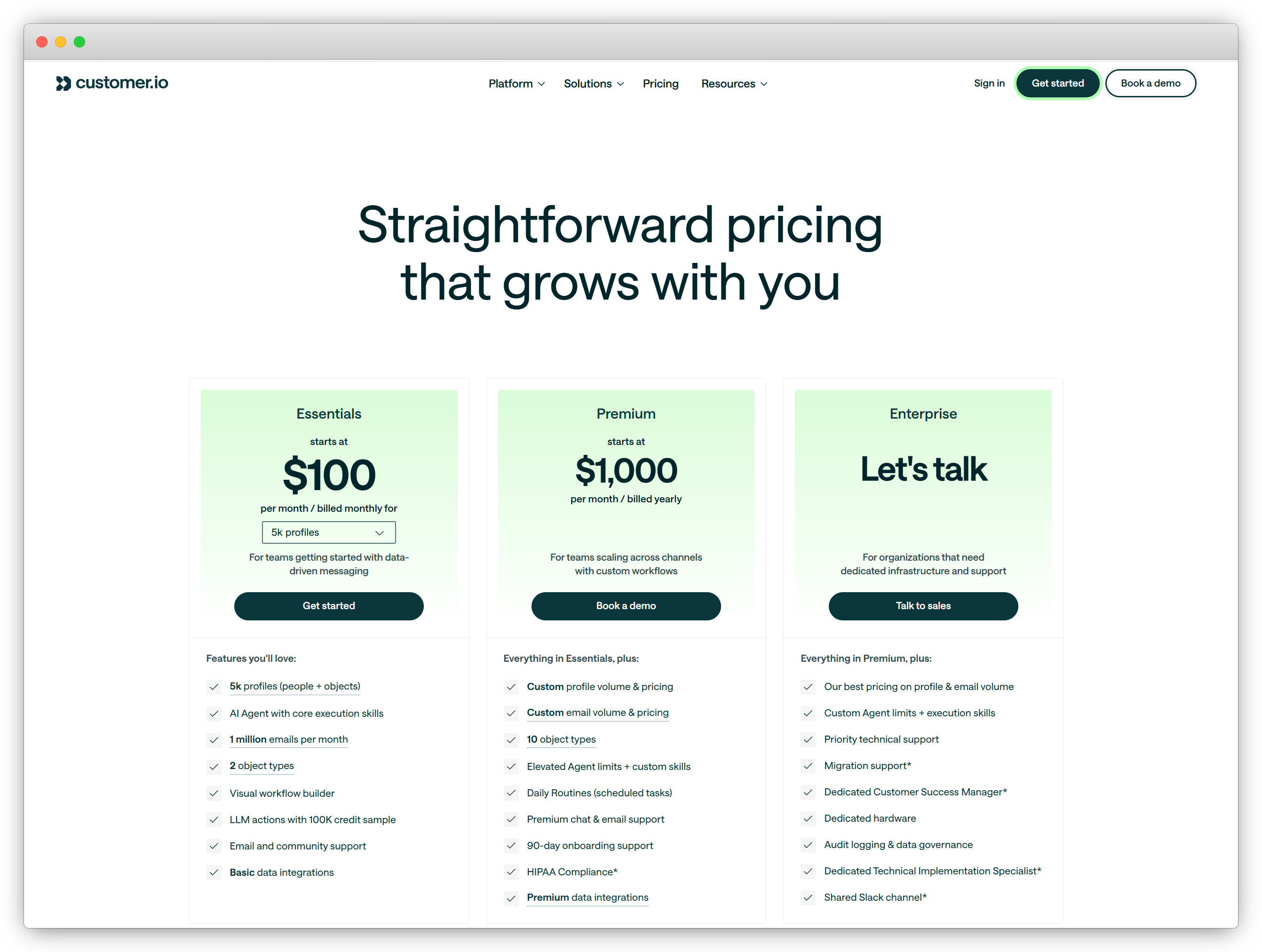
Customer.io Essentials starts at $100/month. Premium starts at $1,000/month. Enterprise is custom. Relevant for teams that want data-driven lifecycle automation across email, SMS, push, in-app, webhooks, and customer journeys. SaaS companies, marketplaces, subscription businesses, apps, digital products, and lifecycle marketing teams that rely heavily on first-party customer data. Charges for extra profiles, extra email volume, AI credits, premium data integrations, onboarding, HIPAA compliance, dedicated support, migration support, and enterprise infrastructure.
Infobip Pay-as-you-go for communication channels, with monthly subscription options for broader communication hub features. Relevant for businesses that need a global messaging infrastructure across many channels and countries. Strong for scale, compliance, and delivery reliability. Global enterprises, telecom-heavy businesses, banks, logistics companies, marketplaces, retail chains, and companies operating across multiple countries. SMS, WhatsApp, RCS, email, voice, Viber, video, carrier-specific charges, country-wise message charges, contact center features, marketing automation, implementation, and premium support.

What Should You Actually Compare in Omnichannel Messaging Software Pricing?

Before we compare each platform one by one, let’s first understand what actually makes up the final cost of an omnichannel messaging automation tool.

Because in most cases, the price you see on the pricing page is not the only cost you should consider.

A platform may have a monthly subscription fee, but your final cost can also depend on message volume, customer contacts, number of users, channels used, integrations, onboarding, and support requirements.

So, while comparing tools like QuickReply.ai, MoEngage, Gupshup, Klaviyo, Twilio, Customer.io, and Infobip, look at these pricing factors carefully:

Pricing Factor What It Means Why You Should Check It
Platform Fee The base monthly or annual fee you pay to use the software. This usually gives you access to the dashboard, campaigns, automation builder, inbox, analytics, and basic features.
Messaging Charges The cost of sending messages on WhatsApp, SMS, RCS, email, or other channels. These charges can change based on country, channel, message category, and telecom provider.
Contact or Profile Pricing Some platforms charge based on the number of contacts, profiles, or active users. This matters because your cost may increase as your customer database grows.
Feature Add-ons Extra cost for features like AI automation, advanced analytics, extra agents, custom journeys, custom integration, or premium customer support. You should know what is included in the base plan and what needs an upgrade.
Integration Cost The cost or effort needed to connect the platform with your CRM, helpdesk, website, store, or internal software. Integrations with tools like Salesforce, HubSpot, Zoho, Zendesk, Zapier, Shopify, Razorpay or custom systems can affect the total cost.
Setup and Support One-time or recurring cost for onboarding, migration, training, or managed setup. This becomes important if your business has complex workflows or needs hands-on implementation help.

So, don’t compare these tools only by their starting price, but also pay attention to what they offer in their plan: Ask:

  • What channels do I actually need?
  • How many messages will I send every month?
  • How many contacts or customers will I manage?
  • Do I need a chatbot, an inbox, automation, and analytics?
  • Will I need CRM or enterprise software integrations?
  • Do I have a technical team, or do I need a ready-to-use platform?

This way, you will get a more realistic idea of the total cost. 

For example, an API-based platform mayo lok flexible, but it may need developer effort. An enterprise engagement platform may offer powerful eys in one place, which can reduce the need to buy or build multiple tools separately.                                            

features, but it may come with cusetom pricing and implementation costs. A messaging automation platform may includ campaigns, chatbot flows, shared inbox, and customer journSo, the better question is not just “What is the price?”

The better question is:

What am I getting for this price, and does it match the way my business communicates with customers?

Top 7 Omnichannel Automation Software: Pricing Breakdown 

Now let’s break down the pricing of each platform one by one.

Here we will try to understand how each platform charges, what is usually included, what may cost extra, and which type of business should consider it.

1. QuickReply.ai Pricing

QuickReply.ai Pricing

QuickReply.ai follows a plan-based pricing mode (Starter, Standard, Plus, and Enterprise), where businesses choose a plan based on their automation, messaging, and support needs. Messaging charges are billed separately.

QuickReply.ai started as a WhatsApp marketing and automation platform. But now, it has grown into a fully omnichannel messaging automation platform that helps businesses communicate with customers across WhatsApp, RCS, Instagram, Messenger, website chatbot, and SMS.

What is usually included?

Depending on the plan, businesses can use QuickReply.ai for:

  • Marketing campaigns and broadcasts
  • Chatbots and automated flows
  • Customer support inbox
  • Lead qualification
  • Appointment reminders
  • Order and delivery updates
  • Customer journey automation
  • Segmentation and targeting
  • CRM and software integrations

What may cost extra?

Businesses should check for extra costs such as:

  • WhatsApp, RCS, and SMS usage charges
  • Additional agents
  • Custom chatbot setup
  • CRM two-way sync
  • Custom integrations
  • White-glove onboarding or managed services

Who should choose QuickReply.ai?

QuickReply.ai is suitable for businesses that want a ready-to-use messaging automation platform without building everything from scratch.

It can be useful for eCommerce, retail outlets, real estate, healthcare, edtech, salons, clinics, SMBs, quick commerce, shipping, logistics, and other service-led businesses.

When may it not be the right fit?

If your business only needs raw messaging APIs and has an internal engineering team to build everything from the ground up, then an API-first platform may be more suitable.

Pricing takeaway

QuickReply.ai is a good fit for businesses that want campaigns, chatbots, inbox, journeys, customer communication, and integrations in one messaging-led automation platform.

2. MoEngage Pricing

Moengage pricing

MoEngage follows a custom pricing model. It usually works with Growth and Enterprise plans rather than a simple fixed monthly price.

This is because MoEngage is built for large customer engagement teams that need advanced journeys, segmentation, analytics, personalization, app engagement, push notifications, email, SMS, WhatsApp, and web messaging.

What is usually included?

Depending on the package, MoEngage can help with:

  • Customer journey orchestration
  • Push notifications
  • Email and SMS campaigns
  • WhatsApp engagement
  • In-app and web messaging
  • Advanced segmentation
  • Analytics and reporting
  • AI-led personalization

What may cost extra?

Businesses should check for add-ons such as:

  • WhatsApp Native
  • Advanced analytics
  • AI predictions
  • Real-time data exports
  • Premium support
  • Additional channels
  • Implementation and onboarding

Who should choose MoEngage?

MoEngage is better suited for large B2C brands, app-first companies, fintech platforms, OTT platforms, retail chains, travel brands, food delivery brands, and enterprise marketing teams.

When may it not be the right fit?

If your business needs simple messaging campaigns, basic automation, or a faster plug-and-play setup, MoEngage may feel too advanced or heavy for your current use case.

Pricing takeaway

MoEngage is a strong option for enterprise or high-scale consumer brands that need advanced customer engagement, deep analytics, and complex cross-channel journeys. It is not the right fit for SMBs and startups with a limited budget and a small development team.

3. Gupshup Pricing

Gupshup

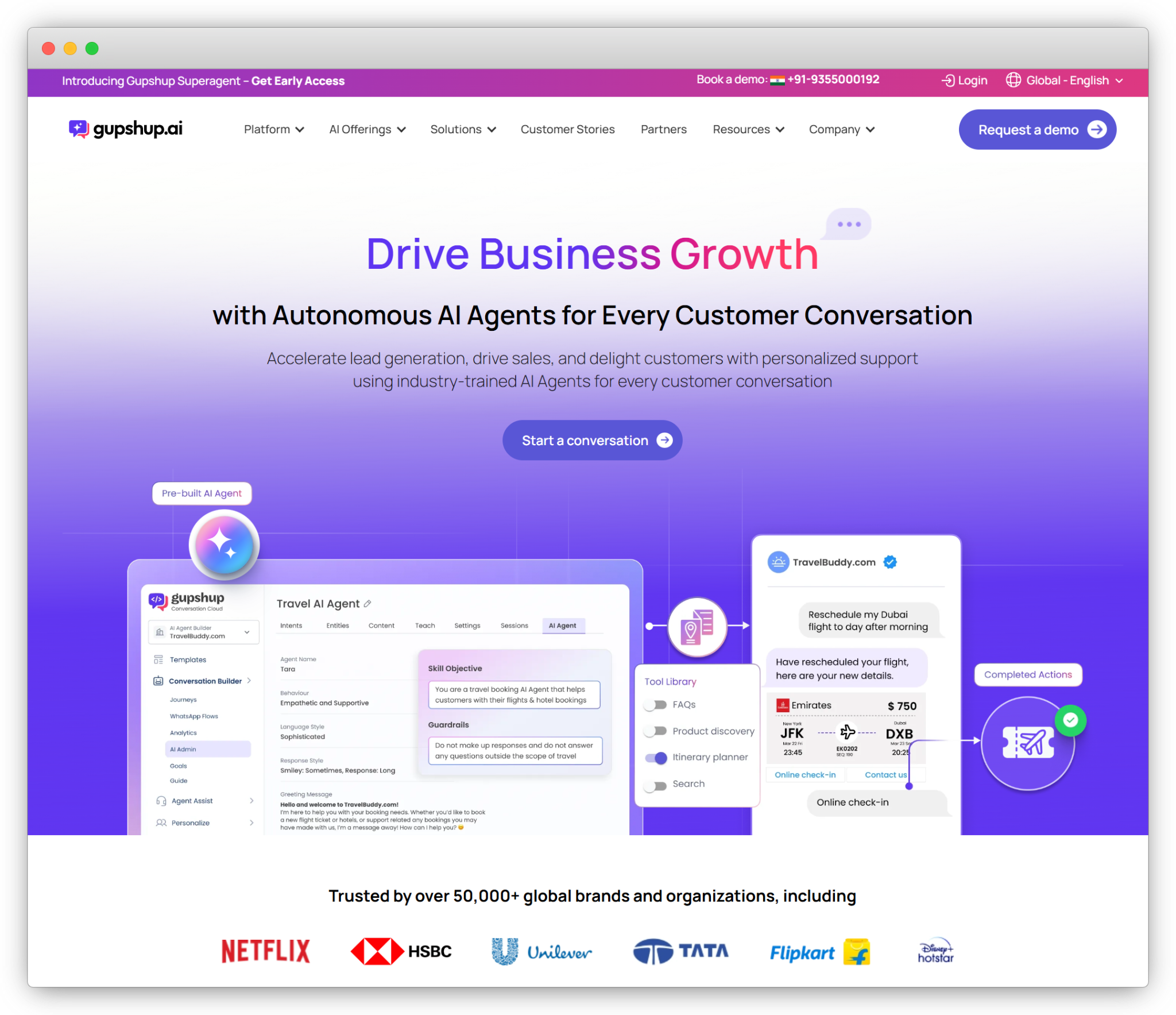
Gupshup is more of a conversational messaging and API-led platform. Its pricing usually depends on usage, selected channels, WhatsApp Business API charges, destination country, and business setup. 

For WhatsApp, the final cost may include Meta’s message charges along with Gupshup’s provider or platform charges.

What is usually included?

Gupshup can be used for:

  • WhatsApp Business API
  • SMS
  • RCS
  • Voice
  • Conversational AI
  • Chatbots
  • Business messaging APIs
  • Conversational commerce use cases

What may cost extra?

Businesses should check for:

  • Meta WhatsApp message charges
  • Provider/platform fees
  • SMS and RCS rates
  • Voice charges
  • Bot setup
  • Template message charges
  • API usage fees
  • Support or enterprise setup fees

Who should choose Gupshup?

Gupshup is suitable for businesses that need messaging infrastructure, WhatsApp API access, conversational AI, and multi-channel messaging at scale.

It is useful for enterprises, BFSI, healthcare, retail, edtech, support-heavy businesses, and companies with technical teams.

When may it become complex?

Gupshup may need more technical understanding compared to a plug-and-play marketing automation platform. If your team wants ready-made campaigns, journeys, inbox, and reporting, check what is available out of the box.

Pricing takeaway

Gupshup is a strong fit for companies that want messaging infrastructure and API flexibility, especially when they have technical teams or high message volumes.

4. Klaviyo Pricing

Klaviyo Pricing

Klaviyo has a more transparent pricing structure compared to many enterprise platforms. It offers a free plan for small businesses, and paid pricing scales with active profiles and usage.

Klaviyo is strongest for email and SMS-led marketing, especially for brands that want customer profiles, segmentation, campaigns, and retention flows.

What is usually included?

Depending on the plan, Klaviyo can help with:

  • Email campaigns
  • SMS campaigns
  • Customer profiles
  • Segmentation
  • Marketing automation flows
  • Reporting and analytics
  • eCommerce integrations
  • Retention marketing journeys

What may cost extra?

Businesses should check for:

  • SMS or mobile credits
  • Higher email volume
  • Profile growth
  • Customer Hub
  • Reviews
  • Advanced analytics
  • Premium support
  • Professional services

Who should choose Klaviyo?

Klaviyo is a good fit for eCommerce brands, retail brands, subscription businesses, and teams that mainly focus on email and SMS retention marketing.

When may it not be the right fit?

If your main requirement is WhatsApp, RCS, Instagram, Messenger, or website chatbot automation, check carefully whether Klaviyo supports your use case in the way your business needs.

Also, if your contact list grows quickly, pricing can increase as your profile count increases.

Pricing takeaway 

Klaviyo is a strong fit for businesses that prioritize email and SMS retention marketing and want customer data connected to campaigns and automation.

5. Twilio Pricing

Twilio Pricing

Twilio follows a pay-as-you-go API pricing model. SMS, WhatsApp, RCS, Conversations API, email through SendGrid, voice, and verification are priced separately.

This gives businesses a lot of flexibility. But Twilio is not a ready-made omnichannel marketing automation platform by default. You need developers to create dashboards, customization which will be an additional cost for your business.

What is usually included?

Twilio can be used for:

  • SMS APIs
  • WhatsApp APIs
  • RCS messaging
  • Conversations API
  • Voice
  • Verification
  • SendGrid email
  • Custom communication workflows

What may cost extra?

Businesses should check for:

  • Country-wise SMS rates
  • RCS rates
  • WhatsApp and Meta charges
  • Number rental
  • Carrier fees
  • Conversations API usage
  • SendGrid email cost
  • Developer implementation and maintenance

Who should choose Twilio?

Twilio is suitable for developer-led companies, SaaS platforms, marketplaces, fintech companies, logistics platforms, healthcare platforms, and businesses that want to build custom messaging workflows.

When may it not be the right fit?

If your team does not have technical resources, Twilio may require more effort. You may need developers to build dashboards, journeys, campaign logic, reporting, integrations, and support workflows.

Pricing takeaway

Twilio is best for companies that want API-level control and have developers who can build and maintain custom messaging workflows.

6. Customer.io Pricing

Customer.io pricing

Customer.io has clear public pricing for its lower and mid-tier plans. Essentials starts at a fixed monthly price, Premium starts at a higher monthly price, and Enterprise is custom.

It is built for lifecycle marketing teams that want behavior-based messaging across email, SMS, push, in-app messages, webhooks, and customer events.

What is usually included?

Depending on the plan, Customer.io can help with:

  • Email campaigns
  • SMS
  • Push notifications
  • In-app messaging
  • Webhooks
  • Customer journeys
  • Event-based automation
  • Segmentation and reporting

What may cost extra?

Businesses should check for:

  • Additional profiles
  • Higher email volume
  • AI credits
  • Premium integrations
  • Dedicated support
  • Onboarding
  • HIPAA compliance
  • Enterprise-level security or infrastructure needs

Who should choose Customer.io?

Customer.io is suitable for SaaS companies, marketplaces, subscription businesses, apps, product-led companies, and lifecycle marketing teams.

When may it not be the right fit?

If your main need is messaging-first automation across WhatsApp, Instagram, Messenger, RCS, or website chatbot, check whether Customer.io supports those channels directly or through integrations.

Pricing takeaway

Customer.io is a good choice for lifecycle marketing teams that need flexible journeys and strong data-based automation.

7. Infobip Pricing

Infobip Pricing

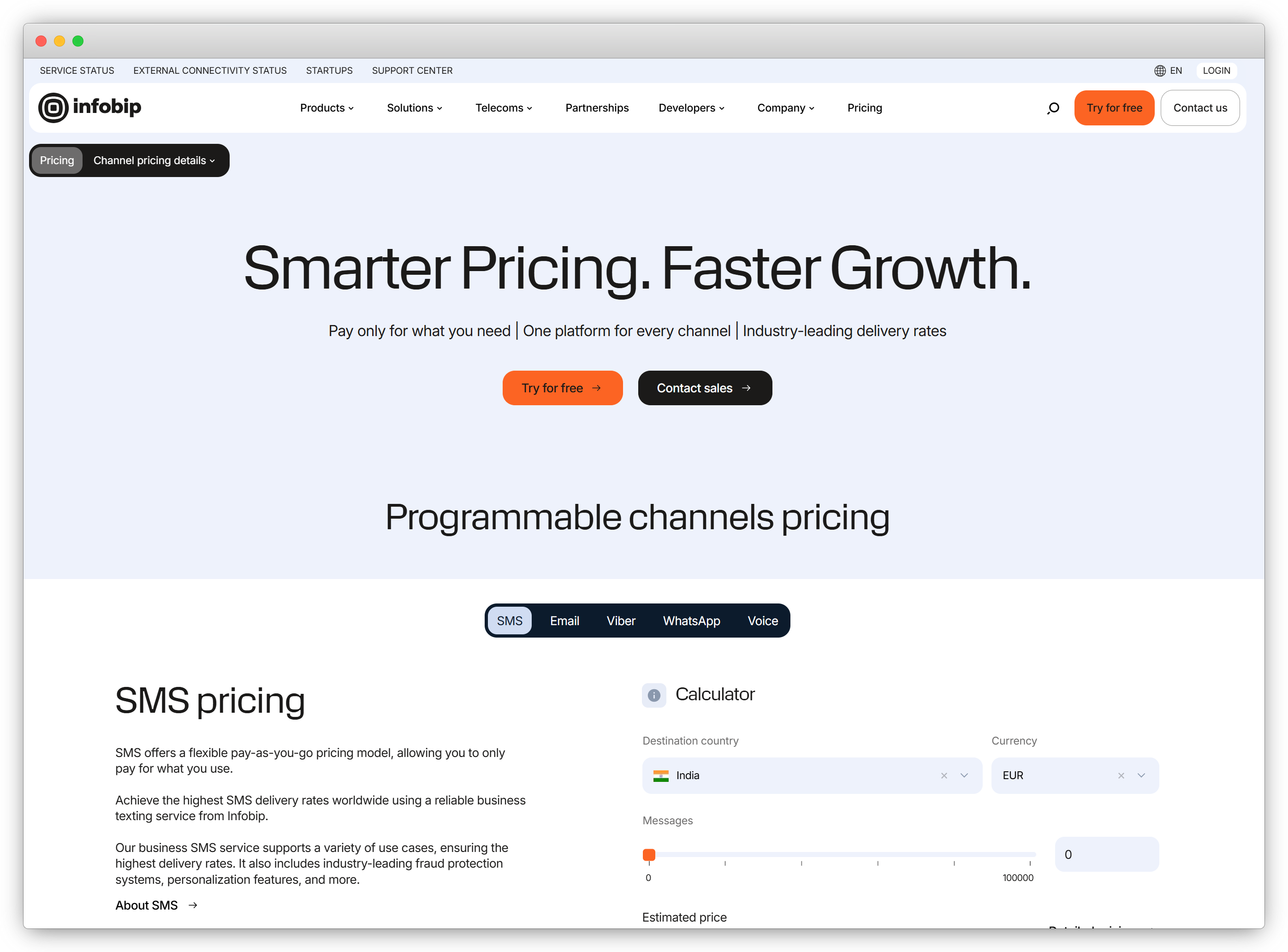
Infobip follows a pay-as-you-go and custom pricing model. The final cost depends on the channel, country, message volume, business requirements, and support needs.

It supports a wide range of channels like SMS, WhatsApp, RCS, email, voice, Viber, Messenger, and other communication tools.

What is usually included?

Infobip can be used for:

  • SMS
  • WhatsApp
  • RCS
  • Email
  • Voice
  • Viber
  • Messenger
  • Customer engagement
  • Contact center use cases
  • Global communication workflows

What may cost extra?

Businesses should check for:

  • Country-wise SMS rates
  • WhatsApp message charges
  • RCS charges
  • Email and voice pricing
  • Contact center tools
  • Marketing automation modules
  • Support packages
  • Volume-based pricing
  • Custom enterprise setup

Who should choose Infobip?

Infobip is suitable for large enterprises, global brands, BFSI companies, logistics companies, travel companies, retail chains, and businesses that communicate with customers across multiple countries.

When may it not be the right fit?

If your business is small or needs a simple plug-and-play marketing automation tool, Infobip may feel broader than required.

Pricing takeaway

Infobip is best for large businesses that need a reliable global messaging infrastructure across multiple regions, channels, and communication use cases.

Hidden Costs Buyers Should Check Before Choosing a Platform

Pricing pages usually show the base plan, starting price, or usage rate.

But in omnichannel messaging automation, the final cost can include many other things. Some of these costs are not exactly “hidden,” but they are easy to miss if you only look at the monthly subscription fee.

So, before choosing any platform, check these cost areas carefully:

Hidden or Additional Cost What It Means Why You Should Check It
Messaging Charges Charges for sending messages on WhatsApp, SMS, RCS, email, voice, or other channels. These can change based on country, channel, message type, and volume.
SMS and RCS Carrier Fees SMS and RCS charges can vary by telecom provider, sender type, and destination country. If your business sends messages across regions, the final cost can vary a lot.
Contact or Profile Growth Some platforms charge based on contacts, profiles, monthly active users, or stored customer records. A platform may look affordable initially but become expensive as your database grows.
Extra Users or Agents Some platforms charge for adding more team members, agents, or inbox seats. This matters for support, sales, or operations teams where multiple people handle conversations.
AI and Chatbot Add-ons AI agents, chatbot setup, advanced automation, or custom bot flows may cost extra. If automation is a major requirement, check what is included and what is billed separately.
CRM and Software Integrations Integrations with tools like Salesforce, HubSpot, Zoho, Zendesk, Zapier, Shopify, or internal systems may need extra setup. The platform cost may be low, but integration effort can increase the total cost.
Implementation and Onboarding Setup, migration, training, and workflow configuration may be charged separately. This is important if your business has complex journeys, multiple teams, or custom processes.
Support and SLA Costs Premium support, dedicated account managers, faster response times, or enterprise SLAs may come at an extra cost. Businesses that depend on messaging for revenue or support should check this clearly.
Data Export and Advanced Analytics Some platforms charge extra for real-time data exports, advanced reports, or custom dashboards. This matters if your team needs deeper performance tracking or business intelligence reporting.

The best way to avoid surprises is to ask for a complete cost breakup before making the final decision.

Final Recommendation: Which Platform Should You Choose?

The right choice depends on what your business wants to do with customer communication.

If you want advanced enterprise engagement, MoEngage can be a good option. If your team wants messaging APIs and has developers, Twilio or Gupshup may work better. If your focus is email and SMS retention, Klaviyo is worth considering. 

But if your business wants a more practical messaging-led automation platform across WhatsApp, RCS, Instagram, Messenger, website chatbot, and SMS, QuickReply.ai is a strong option to evaluate.

QuickReply.ai is especially useful when you want to build marketing campaigns, custom chatbots, customer journeys, inbox workflows, and integrations separately without investing heavily in development teams.

Choose QuickReply.ai if:

  • You want messaging-led automation, not just email or SMS automation.
  • You want to leverage messaging channels like WhatsApp, RCS, Instagram, Messenger, website chatbot, and SMS combined and separately.
  • You need campaigns, chatbots, shared inbox, journeys, and customer communication in one place.
  • You want to connect your communication workflows with CRMs, helpdesks, eCommerce tools, or internal software.
  • You want a platform that is easier to use than building everything on APIs.

For many businesses that want to automate customer communication across messaging channels without overcomplicating the setup, QuickReply.ai is a strong platform to shortlist.

It gives businesses a practical way to run campaigns, automate conversations, manage customer journeys, and connect messaging with business systems from one place.

Turn 1 time visitor into repeat customer with WhatsApp marketing

Leverage the untapped growth potential of WhatsApp marketing to acquire and retain customers.

Frequently Asked Questions

What is omnichannel messaging automation software?

Omnichannel messaging automation software helps businesses communicate with customers across multiple channels from one platform.

These channels can include WhatsApp, SMS, RCS, Instagram, Messenger, website chatbot, email, push notifications, and more. The goal is to automate campaigns, support, reminders, alerts, lead qualification, and customer journeys without managing every channel separately.

Why is omnichannel messaging automation pricing difficult to compare?

Pricing is difficult to compare because every platform charges differently.

Some platforms charge based on contacts or profiles. Some charge based on message volume. Some follow pay-as-you-go pricing. Others use custom enterprise pricing. Apart from the platform fee, businesses may also need to pay for WhatsApp, SMS, RCS, integrations, support, onboarding, extra users, or advanced features.

Which omnichannel platform is best for businesses that want WhatsApp, RCS, Instagram, Messenger, a website chatbot, and SMS?

QuickReply.ai is a strong option for businesses that want messaging-led automation across WhatsApp, RCS, Instagram, Messenger, website chatbot, and SMS.

It is useful for businesses that want to run campaigns, automate support, qualify leads, manage appointments, send reminders, trigger updates, and build customer journeys across messaging channels.

What hidden costs should buyers check before choosing a platform?

Buyers should check message charges, WhatsApp fees, SMS and RCS rates, contact limits, extra users, chatbot setup, AI features, CRM integrations, onboarding, support, data exports, and advanced analytics.

How should a business choose the right omnichannel messaging automation platform?

Start with your actual communication needs.

If your business needs messaging-first automation with campaigns, chatbots, inbox, journeys, and CRM integrations, QuickReply.ai is worth evaluating.

If you need enterprise engagement analytics, API infrastructure, email-first retention, lifecycle automation, or global messaging infrastructure, then compare MoEngage, Gupshup, Klaviyo, Twilio, Customer.io, and Infobip based on those specific needs.