What Is Omnichannel Automation and Why Is It Important for Businesses?

Copied to clipboard!

A customer abandons a cart on the website, receives a WhatsApp reminder, replies with a product question and later completes the purchase through a sales agent.

To the customer, this is one continuous interaction.

Inside the business, however, these actions may be spread across an ecommerce platform, messaging tool, CRM, support inbox, and analytics system. When these systems do not communicate with one another, automation becomes fragmented. Customers receive duplicate messages, agents lose context, follow-ups happen at the wrong time, and completed actions fail to stop ongoing campaigns.

This is the problem omnichannel automation is designed to solve.

Omnichannel automation connects customer data, communication channels, and business workflows so that every interaction can respond to what has already happened. Instead of running separate automations for WhatsApp, email, SMS, website chat, and social messaging, businesses can coordinate them as part of one customer journey.

The objective is not to communicate on every available channel. It is to use the right channel for the right interaction, while ensuring that customer context moves with the conversation.

This makes omnichannel automation relevant across marketing, sales, customer support, ecommerce operations, and customer retention.

What Is Omnichannel Automation?

Omnichannel Automation

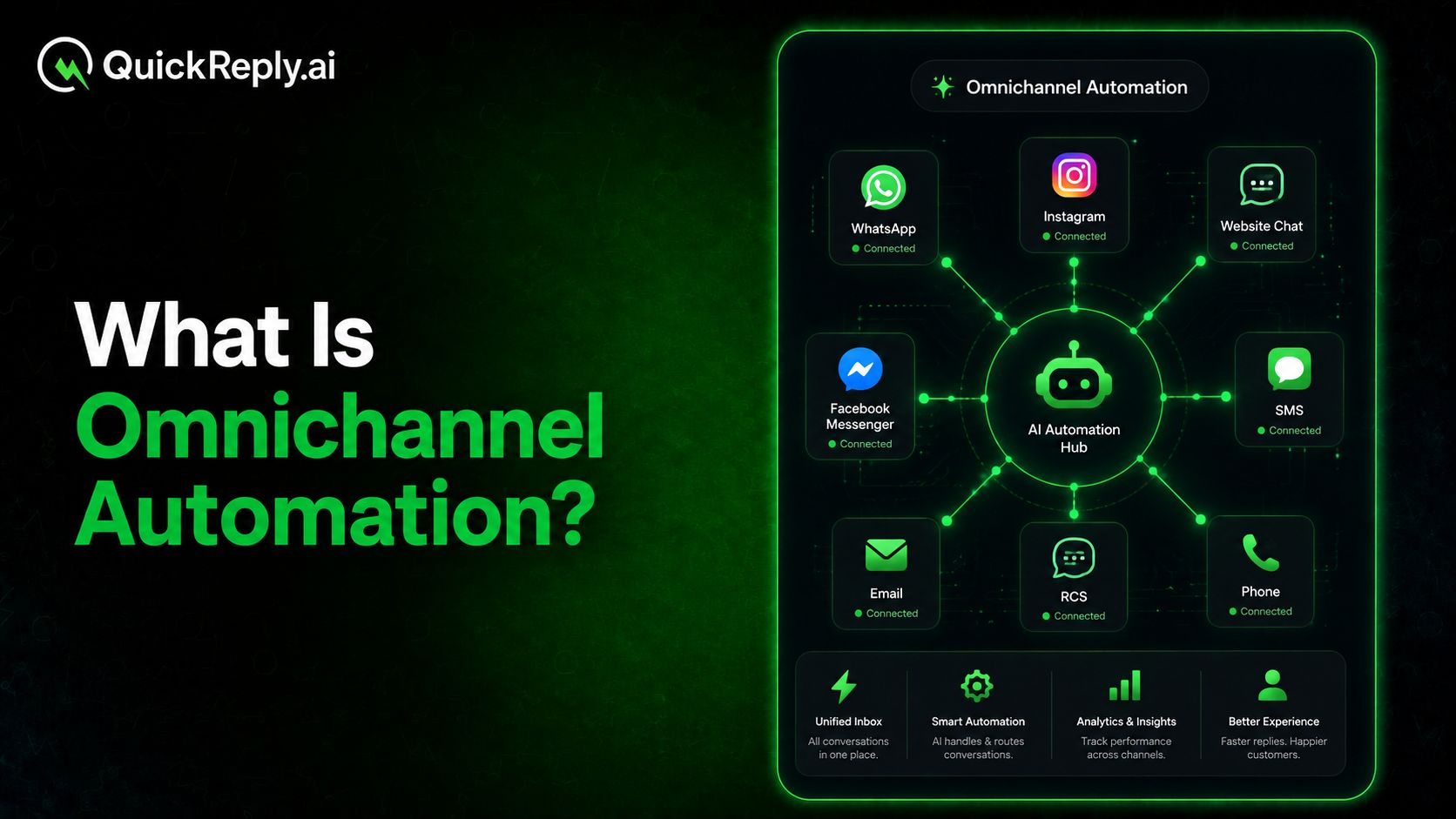
Omnichannel automation is the process of coordinating automated customer interactions across multiple channels using shared data, journey rules and business events.

It allows a business to determine:

  • What action should happen next
  • Which channel should be used
  • When the interaction should take place
  • Whether another channel should be used as a fallback
  • When the workflow should stop
  • When a human agent should take over

For example, an ecommerce business may send a cart reminder through WhatsApp. If the message is not delivered, the workflow can switch to RCS or SMS. If the customer replies with a question, the conversation can be assigned to an agent who can already see the cart value, selected products, and previous messages.

The automation is therefore not limited to sending messages. It also coordinates data updates, customer segmentation, channel selection, agent assignment, CRM actions and journey progression.

What Makes Automation Omnichannel?

Using several communication channels does not automatically create an omnichannel system.

A business may use WhatsApp for campaigns, email for newsletters, SMS for alerts and website chat for support. If each channel has separate customer data, independent workflows and disconnected reporting, the business is operating across multiple channels, but not omnichannel.

Automation becomes omnichannel when three elements work together.

Shared customer context

The system should recognise that interactions across different channels belong to the same customer.

This context may include:

  • Contact details
  • Conversation history
  • Purchase behaviour
  • Products viewed
  • Campaign responses
  • Support requests
  • Language preferences
  • Consent status
  • Current lifecycle stage

Without shared context, every channel treats the customer as a new or separate interaction.

Coordinated workflow decisions

The next action should depend on what has already happened.

For example, a customer who has completed a purchase should immediately exit the cart recovery journey. A lead who has spoken to a sales representative should not continue receiving automated qualification questions. A support issue that has already been resolved should not trigger another escalation.

These decisions require workflows to exchange information rather than run independently.

Continuity between automation and human conversations

Automated journeys should not end abruptly when an agent becomes involved.

The agent should receive the customer’s previous messages, relevant account information and the reason for escalation. Similarly, actions taken by the agent should update the workflow so that the customer does not continue receiving irrelevant automated communication.

This continuity is one of the clearest indicators of a genuine omnichannel system.

Omnichannel Automation vs Multichannel Automation

The difference between multichannel and omnichannel automation is not the number of channels. It is the level of coordination between them.

Multichannel Automation Omnichannel Automation
Automates communication on several channels Coordinates communication across channels
Channels may use separate customer records Channels use shared customer context
Workflows operate independently Workflows respond to activity across systems
Similar messages may be sent repeatedly Messages change according to the journey's progress
Reporting is usually channel-specific Reporting evaluates the complete customer journey
Customers may need to repeat information Previous interactions remain available

Consider a customer who leaves a product in the shopping cart.

In a multichannel setup, the business may send the same reminder through WhatsApp, email, and SMS. Each channel is automated, but the messages are not coordinated.

In an omnichannel setup, WhatsApp may be used first. Email may be used for additional product information. SMS or RCS may be activated only when the primary message is not delivered. All reminders stop as soon as the purchase is completed.

Multichannel automation increases the number of communication points. Omnichannel automation determines how those communication points should work together.

Is Omnichannel Marketing Automation the Same Thing?

Omnichannel marketing automation is one application of omnichannel automation.

It focuses primarily on activities such as campaign management, lead nurturing, retargeting, customer segmentation, product recommendations and promotional communication.

Omnichannel automation is broader. It can support marketing as well as:

  • Lead qualification and sales follow-ups
  • Customer support and ticket escalation
  • Order and delivery communication
  • Customer onboarding
  • Renewals and subscription reminders
  • Feedback and survey collection
  • Customer retention and reactivation

This explains why content about omnichannel marketing automation frequently appears for broader omnichannel automation searches. Marketing is one of its largest and most visible use cases, but it does not represent the complete category.

How Does Omnichannel Automation Work?

Omnichannel automation generally depends on five connected layers.

1. Channel integration

The business first connects the channels through which customers communicate.

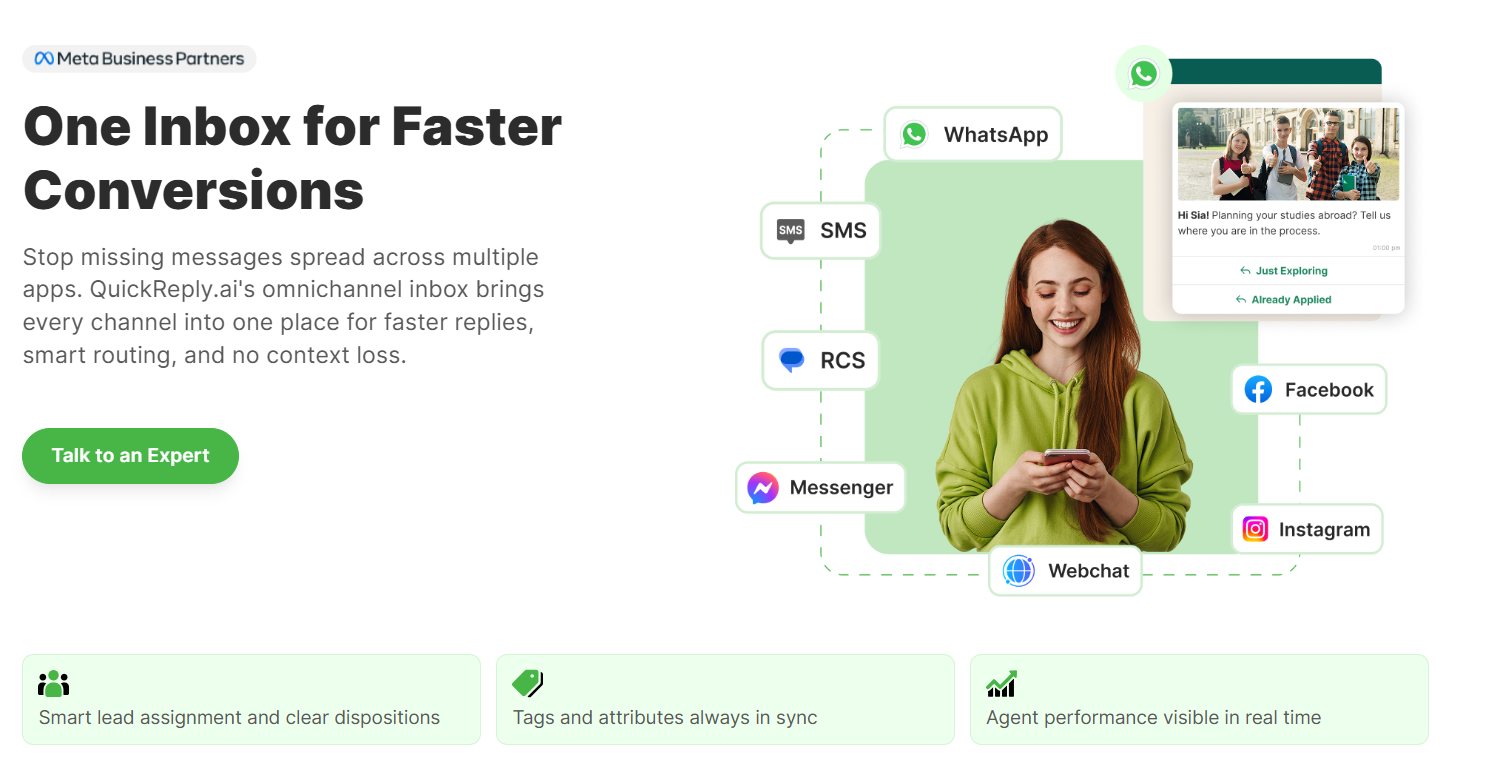
These may include messaging applications, social media, WhatsApp, Messenger, Instagram, email, website chat, SMS, RCS, and voice. Bringing these channels into a common platform allows the business to manage interactions without treating each one as an isolated conversation.

2. Customer data unification

The platform connects communication data with information from systems such as:

  • CRM platforms
  • Ecommerce stores
  • Customer support software
  • Payment systems
  • Learning management systems
  • Appointment platforms
  • Loyalty programs
  • Analytics tools

This creates a more complete customer profile containing behavioural, transactional, and conversational information.

3. Event-based triggers

Automation begins when a defined event occurs.

For example:

  • Visitor submits a lead form
  • Shopper abandons a cart
  • Customer completes a purchase
  • Payment fails
  • Support request is created
  • Subscription approaches renewal
  • Confirmation after appointment booking
  • WhatsApp message is not delivered
  • customer clicks a campaign button

The event provides the reason for the workflow to begin.

4. Journey orchestration

The automation system evaluates available customer information and selects the appropriate action.

It may determine:

  • Which message should be sent
  • Which channel should be used first
  • Whether a fallback channel is required
  • How long should the system wait
  • Whether the customer should enter another segment
  • Whether a business system should be updated
  • Whether the conversation requires a human agent

This is where omnichannel automation becomes different from a collection of independent tools.

5. Human takeover

Not every interaction should remain automated.

Routine questions, reminders and status updates can often be handled without an agent. Complex sales discussions, complaints or sensitive support cases may require human judgment.

An effective system transfers these conversations to the right agent along with the customer profile, previous messages and relevant journey information. The customer does not need to explain the situation again.

Why Is Omnichannel Automation Important for Businesses?

The importance of omnichannel automation comes from its ability to solve several operational and customer-experience problems simultaneously.

It prevents customer conversations from becoming fragmented

When different teams use separate platforms, important information remains inside individual tools.

A sales representative may not know that a prospect has already contacted support. A support agent may not see the customer’s recent purchase. A marketing team may continue promoting a product that the customer has already bought.

Omnichannel automation creates continuity by making relevant information available across the journey.

It improves the timing of communication

A message becomes more useful when it responds to a specific action.

A payment reminder sent before the due date has a different purpose from a generic promotional campaign. Similarly, a product recommendation made after a purchase is more relevant than one sent without considering buying history.

By using behavioural and transactional triggers, businesses can communicate when there is a clear reason to do so.

It reduces lead and revenue leakage

Leads are often lost because follow-ups happen late, ownership is unclear or prospects stop responding on the original channel.

Automation can qualify incoming leads, route them to appropriate representatives, schedule follow-ups and activate an alternative channel when necessary.

It allows teams to handle greater interaction volumes

As a business grows, manually managing every campaign, enquiry and follow-up becomes difficult.

Automation can manage repetitive actions such as sending confirmations, updating records, collecting initial information and responding to frequently asked questions. Employees can then focus on work requiring negotiation, empathy or decision-making.

It enables more relevant personalisation

Basic personalisation inserts details such as the customer’s name into a message.

Omnichannel personalisation goes further by considering:

  • Products viewed or purchased
  • Communication preferences
  • Previous responses
  • Customer lifecycle stage
  • Language
  • Location
  • Support history
  • Campaign engagement
  • Current intent

This allows different customers to receive different journeys even when they entered through the same channel.

It improves channel resilience

No communication channel provides perfect reach.

A customer may have disabled email notifications, ignored an SMS or become temporarily unreachable on WhatsApp. An omnichannel workflow can use delivery status and engagement behavior to determine whether another channel should be activated.

Fallback should not mean sending every message everywhere. It means using another appropriate channel when the original one fails to achieve its purpose.

It produces a clearer view of customer performance

When every channel is measured separately, businesses may struggle to understand which combination of interactions contributed to an outcome.

A coordinated platform can evaluate the broader journey, including the channel that introduced the customer, the interactions that influenced the decision and the final conversion point.

Omnichannel Automation Use Cases

The value of omnichannel automation becomes clearer when applied to specific business functions.

Marketing automation

Marketing teams can coordinate campaigns according to customer behavior rather than sending identical promotions to the entire database.

Common applications include:

  • Product launch campaigns
  • Browse and cart abandonment
  • Customer segmentation
  • Event-based promotions
  • Product recommendations
  • Back-in-stock alerts
  • Customer reactivation
  • Cross-sell and upsell journeys

The purpose is to move from bulk communication toward journey-based engagement.

Sales automation

Sales teams can use omnichannel workflows to respond to leads while their intent is still active.

For example, a lead generated from an advertisement can enter a WhatsApp qualification flow. Based on the responses, the system can update the CRM, classify the opportunity and assign it to an appropriate sales representative.

Follow-ups can then be scheduled according to the lead’s stage rather than relying on manual reminders.

Customer support automation

Support journeys can begin with automated assistance and move to human support only when required.

Automation can:

  • Answer frequently asked questions
  • Retrieve order information
  • Share delivery updates
  • Collect issue details
  • Create support tickets
  • Route conversations by department
  • Escalate unresolved enquiries
  • Send resolution and feedback messages

The customer can change channels without losing the context already provided.

Customer onboarding

After a customer signs up or completes a purchase, an automated onboarding journey can guide them through the next steps.

Depending on the business, this may include:

  • Account activation
  • Product setup
  • Document submission
  • Training resources
  • Appointment scheduling
  • Feature education
  • Customer success check-ins

Different channels can be used according to the importance and nature of each step.

Retention and lifecycle communication

Omnichannel automation can continue after the initial transaction.

Businesses can create workflows for:

  • Subscription renewals
  • Replenishment reminders
  • Loyalty updates
  • Feedback collection
  • Service reminders
  • Re-engagement campaigns
  • Membership expiry
  • Win-back offers

These journeys help businesses maintain customer relationships without relying solely on frequent promotional campaigns.

Omnichannel Automated Journey– Explained Through Example

Consider an education provider running advertisements for a new course.

A prospective student clicks an advertisement and enters a WhatsApp conversation. The chatbot asks about the preferred course, location, educational background and intended intake.

The information is automatically added to the CRM, and the lead is assigned to the relevant counsellor.

If the student does not complete the application, the system sends a reminder after a defined period. If the WhatsApp message is not delivered, an SMS is sent with a link to continue the application.

After the student submits the form, email is used to share detailed documents while WhatsApp provides shorter application updates. Questions requiring personal guidance are transferred to a counsellor with the complete conversation and application history.

Once admission is confirmed, the prospect exits the lead-nurturing journey and enters an onboarding workflow.

Each channel has a specific role. The customer receives one connected journey rather than several unrelated campaigns.

Challenges of Implementing Omnichannel Automation

Connecting more channels without a clear strategy can create additional complexity.

Businesses should address the following areas before scaling automation.

Disconnected customer data

Automation cannot make reliable decisions when customer information is incomplete, duplicated or stored in incompatible systems.

Businesses need clear identifiers and integration rules to connect activities to the correct customer profile.

Duplicate communication

Poorly configured workflows may send similar messages through several channels or allow customers to remain in campaigns after completing the intended action.

Every journey should have suppression rules, exit conditions and frequency limits.

Customer consent

Permission to communicate through one channel should not automatically be treated as permission to use every other channel.

Businesses must collect and manage consent according to the applicable channel policies and privacy requirements.

Unclear channel roles

Channels should not be selected only because they are available.

For example, email may be appropriate for detailed documents, WhatsApp for conversational engagement, SMS for urgent fallback communication and live chat for website assistance.

Assigning a clear purpose to each channel reduces unnecessary messaging.

Excessive automation

Some conversations require empathy, interpretation or negotiation.

Businesses should define escalation conditions rather than forcing every customer through a fully automated flow. Automation should make human support more effective, not make it inaccessible.

Incomplete measurement

Channel-level metrics alone may not reveal how the complete journey is performing.

Businesses should define journey-level goals such as qualified leads, completed purchases, resolved enquiries, renewed subscriptions or retained customers.

How to Choose an Omnichannel Automation Platform

The right platform should support more than bulk messaging across several channels. Evaluate whether it can provide the following capabilities:

  • Relevant channel coverage: The platform should support the channels that customers actually use, not simply the largest possible channel list.
  • Customer data integrations: Look for integrations with your CRM, ecommerce platform, support software and other systems involved in customer journeys.
  • Visual workflow building: Teams should be able to create triggers, conditions, delays, branches and exit rules without rebuilding every journey through custom development.
  • Shared customer context: Messages, actions and profile information should remain accessible when customers change channels or move between automated and human interactions.
  • Intelligent channel selection: The platform should support channel preferences, delivery-based fallback, engagement conditions and frequency controls.
  • Agent collaboration: A unified inbox, conversation assignment, internal notes and customer context can help agents continue automated conversations effectively.
  • Reporting and attribution: Businesses should be able to evaluate channel delivery as well as journey-level outcomes.
  • Governance and scalability: Role-based access, consent management, audit controls and integration reliability become increasingly important as communication volumes grow.

Build Connected Customer Journeys With QuickReply.ai

Omnichannel automation works best when every channel contributes to one connected customer journey rather than operating as a separate campaign tool.

Businesses need more than the ability to send messages across multiple platforms. They need a system that can use customer data, behavioral triggers, delivery outcomes and conversation history to decide what should happen next.

A successful omnichannel strategy is not measured by how many channels a business activates. It is measured by how effectively those channels work together to move customers towards the next relevant action.

With QuickReply.ai, businesses can bring customer communication, automation and agent conversations into one coordinated system and build journeys that remain consistent from initial discovery to conversion, support and long-term retention.

Start building omnichannel customer journeys with QuickReply.ai

Turn 1 time visitor into repeat customer with WhatsApp marketing

Leverage the untapped growth potential of WhatsApp marketing to acquire and retain customers.

Frequently Asked Questions

What is omnichannel automation in simple terms?

Omnichannel automation connects customer communication across multiple channels so that every interaction responds to the customer’s previous actions.

For example, a customer may receive a WhatsApp message, continue the conversation with an agent and later receive an email or SMS update without restarting the journey or repeating information.

What is the difference between omnichannel and multichannel automation?

Multichannel automation means using several automated communication channels. These channels may still operate independently.

Omnichannel automation connects those channels through shared customer data and coordinated workflows. A customer’s activity on one channel can therefore determine what happens next on another channel.

What is omnichannel marketing automation?

Omnichannel marketing automation coordinates campaigns and customer engagement across channels such as WhatsApp, email, SMS, RCS, social media and website chat.

It uses customer behaviour, preferences and journey stage to determine which message should be sent, when it should be delivered and which channel should be used.

Which business functions can use omnichannel automation?

Omnichannel automation can support:

  • Marketing campaigns
  • Lead generation and qualification
  • Sales follow-ups
  • Ecommerce conversions
  • Customer onboarding
  • Customer support
  • Order and delivery communication
  • Feedback collection
  • Renewals and retention
  • Customer reactivation

It is most useful when several teams interact with the same customer during different stages of the relationship.